> ## Documentation Index
> Fetch the complete documentation index at: https://translations.mintlify.site/llms.txt
> Use this file to discover all available pages before exploring further.

> Learn how to configure your JWT Connection to sign, verify or decode JSON Web Tokens.

# JWT Vault Connection

## Configure your JWT Vault connection

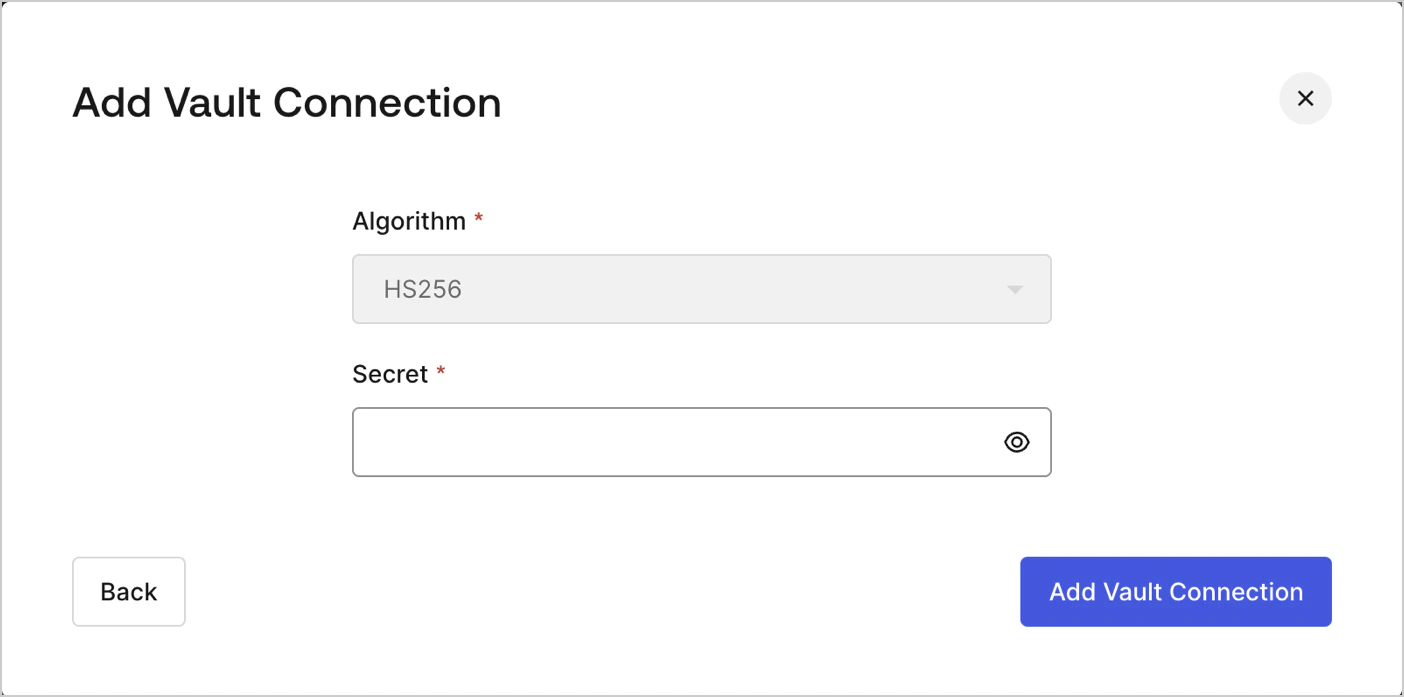
To configure an JWT Vault Connection for your Flows JWT Actions to sign, decode, and verify JSON Web Tokens, you need to set the required parameters.
<Frame>
  <img src="https://mintcdn.com/translations/xwVvTWJUElMm5YAK/docs/images/customize/forms/vaults/jwt-vault-connection.png?fit=max&auto=format&n=xwVvTWJUElMm5YAK&q=85&s=6bc89a39f560e7848a87957b9f30725b" alt="Dashboard > Actions > Forms > Vault > JWT" data-og-width="1404" width="1404" data-og-height="697" height="697" data-path="docs/images/customize/forms/vaults/jwt-vault-connection.png" data-optimize="true" data-opv="3" srcset="https://mintcdn.com/translations/xwVvTWJUElMm5YAK/docs/images/customize/forms/vaults/jwt-vault-connection.png?w=280&fit=max&auto=format&n=xwVvTWJUElMm5YAK&q=85&s=5035aa06e5ea0d86eeecb8a750f7097b 280w, https://mintcdn.com/translations/xwVvTWJUElMm5YAK/docs/images/customize/forms/vaults/jwt-vault-connection.png?w=560&fit=max&auto=format&n=xwVvTWJUElMm5YAK&q=85&s=ab41fecadb5890315b103231668a9085 560w, https://mintcdn.com/translations/xwVvTWJUElMm5YAK/docs/images/customize/forms/vaults/jwt-vault-connection.png?w=840&fit=max&auto=format&n=xwVvTWJUElMm5YAK&q=85&s=5098c0829d3495468bc7aedfec6bde3a 840w, https://mintcdn.com/translations/xwVvTWJUElMm5YAK/docs/images/customize/forms/vaults/jwt-vault-connection.png?w=1100&fit=max&auto=format&n=xwVvTWJUElMm5YAK&q=85&s=3300173646221041be6834ccb619f1ac 1100w, https://mintcdn.com/translations/xwVvTWJUElMm5YAK/docs/images/customize/forms/vaults/jwt-vault-connection.png?w=1650&fit=max&auto=format&n=xwVvTWJUElMm5YAK&q=85&s=f17484c53b5d18f5dac2d369ac17fdba 1650w, https://mintcdn.com/translations/xwVvTWJUElMm5YAK/docs/images/customize/forms/vaults/jwt-vault-connection.png?w=2500&fit=max&auto=format&n=xwVvTWJUElMm5YAK&q=85&s=1c1b7971003ec38948f96a5b9164e7df 2500w" />
</Frame>

## Input settings

| Parameter | Description                                                 |
| --------- | ----------------------------------------------------------- |
| Secret    | Secret to be used in the HS256 algorithm to encode the JWT. |
