> ## Documentation Index
> Fetch the complete documentation index at: https://translations.mintlify.site/llms.txt
> Use this file to discover all available pages before exploring further.
> Auth0 を使用して、iOS向け Lock をアプリケーションに国際化対応させます。
# Lock.swift の国際化
デフォルトでは、[**iOS向け Lock v2**](/docs/ja-jp/libraries/lock-swift) のテキストはすべて英語で表示されます。別の言語で表示したい場合や、アプリケーション用に文言を変更したい場合は、`Lock.strings` ファイルを用意し、Lock が表示する各種テキスト項目に使用する値を定義できます。
言語の扱い方について詳しくは、Apple の公式ドキュメント [Internationalization and Localization](https://developer.apple.com/library/archive/documentation/MacOSX/Conceptual/BPInternational/Introduction/Introduction.html) を参照してください。
## Lock の文字列
Lock で使用される用語の一覧については、Lock.swift リポジトリ内の基本の [Lock.strings](https://raw.githubusercontent.com/auth0/Lock.swift/master/Lock/Base.lproj/Lock.strings) ファイルを参照してください。
### 英語の代替文字列を設定する
既存の文言の一部またはすべてを変更したい場合は、[Lock.strings](https://raw.githubusercontent.com/auth0/Lock.swift/master/Lock/Base.lproj/Lock.strings) ファイルをダウンロードしてプロジェクトに追加することで対応できます。
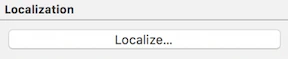
**Lock.strings** ファイルを選択し、`File inspector` で `Localize...` をクリックします。
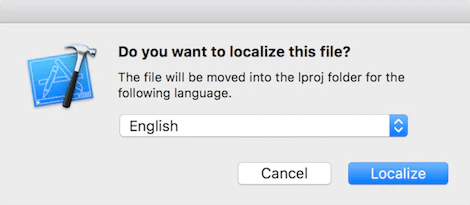
 次に、`English` を選択します。
 では、**Lock.strings** 内のいくつかの文言を別のテキストに変更してみましょう。
`// Forgot password
"com.auth0.lock.database.button.forgot_password" = "Did you forget your password?";
// tos & privacy
"com.auth0.lock.database.button.tos" = "Signing up is an indication of your agreement to our terms of\n service and privacy policy";`
では、**Lock.strings** 内のいくつかの文言を別のテキストに変更してみましょう。
`// Forgot password
"com.auth0.lock.database.button.forgot_password" = "Did you forget your password?";
// tos & privacy
"com.auth0.lock.database.button.tos" = "Signing up is an indication of your agreement to our terms of\n service and privacy policy";`
### 他言語への対応
別の言語を追加するには、まず `Project/Info` で新しい言語を追加する必要があります。
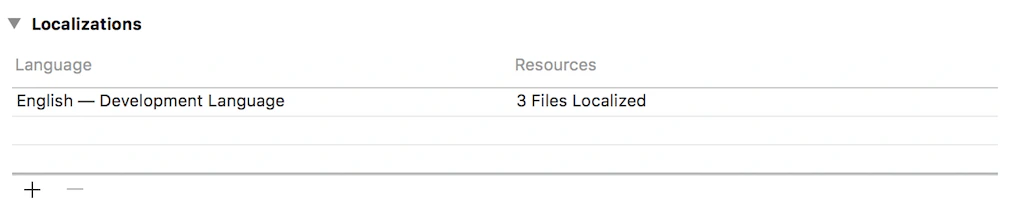 新しい言語を追加し、**Lock.strings** が選択されていることを確認します。
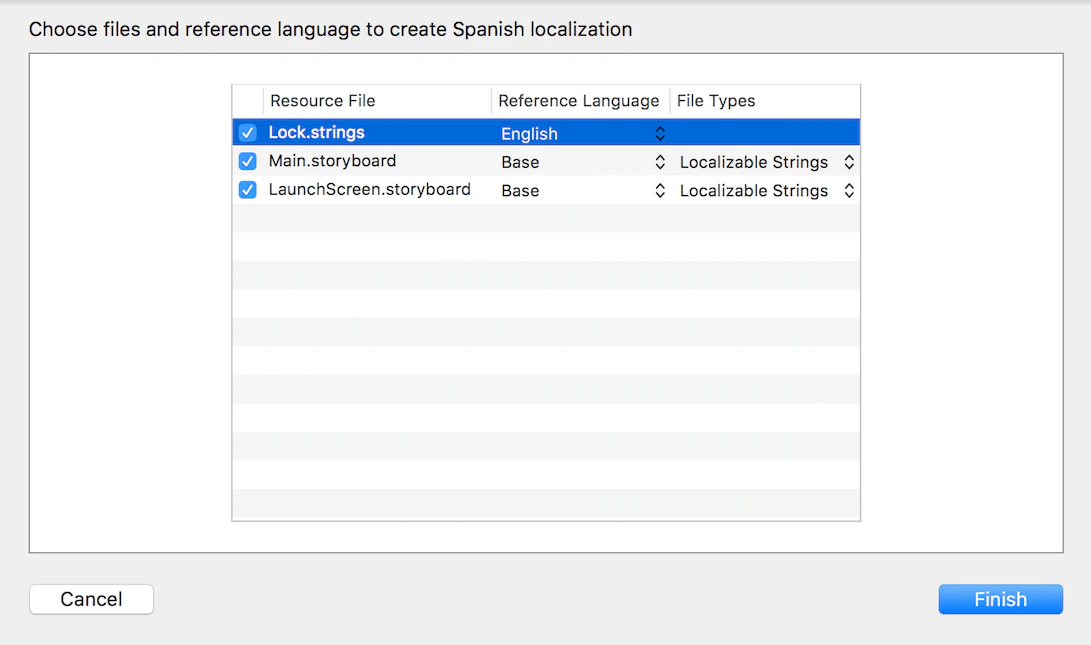 すると、**Lock.strings** の下に、**Reference Language** の設定に基づいて、指定した言語用の新しいファイルが作成されていることがわかります。
これで、目的の言語への翻訳を始める準備が整いました。
すると、**Lock.strings** の下に、**Reference Language** の設定に基づいて、指定した言語用の新しいファイルが作成されていることがわかります。
これで、目的の言語への翻訳を始める準備が整いました。
### 注意
一部の用語ではパラメータが使用されており、翻訳時にはその位置に注意することが重要です。特に、次のように複数のパラメータを含む用語には注意してください。
`// No more than %@{count} identical characters in a row (such as, \"%@{identical sample}\" not allowed)
"com.auth0.lock.error.password.no_more_identical" = "No more than %1$d identical characters in a row (such as, \"%2$@\" not allowed)";`