> ## Documentation Index
> Fetch the complete documentation index at: https://translations.mintlify.site/llms.txt
> Use this file to discover all available pages before exploring further.
> ログストリーミングを使用して、ほぼリアルタイムでログをエクスポートする方法を説明します。
# ログストリーム
ログストリームは、監視と分析を目的として設計されています。ログストリームをアプリケーションのクリティカルパスで使用したり、リアルタイムの意思決定に利用したりすることは推奨していません。
デフォルトでは、ログは実際に発生した順序どおりに表示されない場合があります。テナントログをストリーミングしていて時系列順での並べ替えが必要な場合は、ストリーム処理側でログの並べ替えを実装することを推奨します。
Auth0 のログストリーミングサービスを使用すると、テナントログをログ分析サービスにエクスポートできます。Auth0 Dashboard では、コンテンツタイプと形式を選択し、payload をプレビューできます。ログストリーミングを使用すると、パスワード変更や新規登録といったログイベントに対して、独自のビジネスロジックで対応できます。Auth0 Dashboard と API を使用して、ストリームの一時停止、設定の表示と更新、ストリームの稼働状況の確認を行えます。
ログストリーム を有効にすると、Customer は当該情報の Controller となり、どの情報をストリーミングするかや、Customer がそれをどのように使用するかを含め、Auth0 Platform からエクスポートされるデータについて責任を負います。
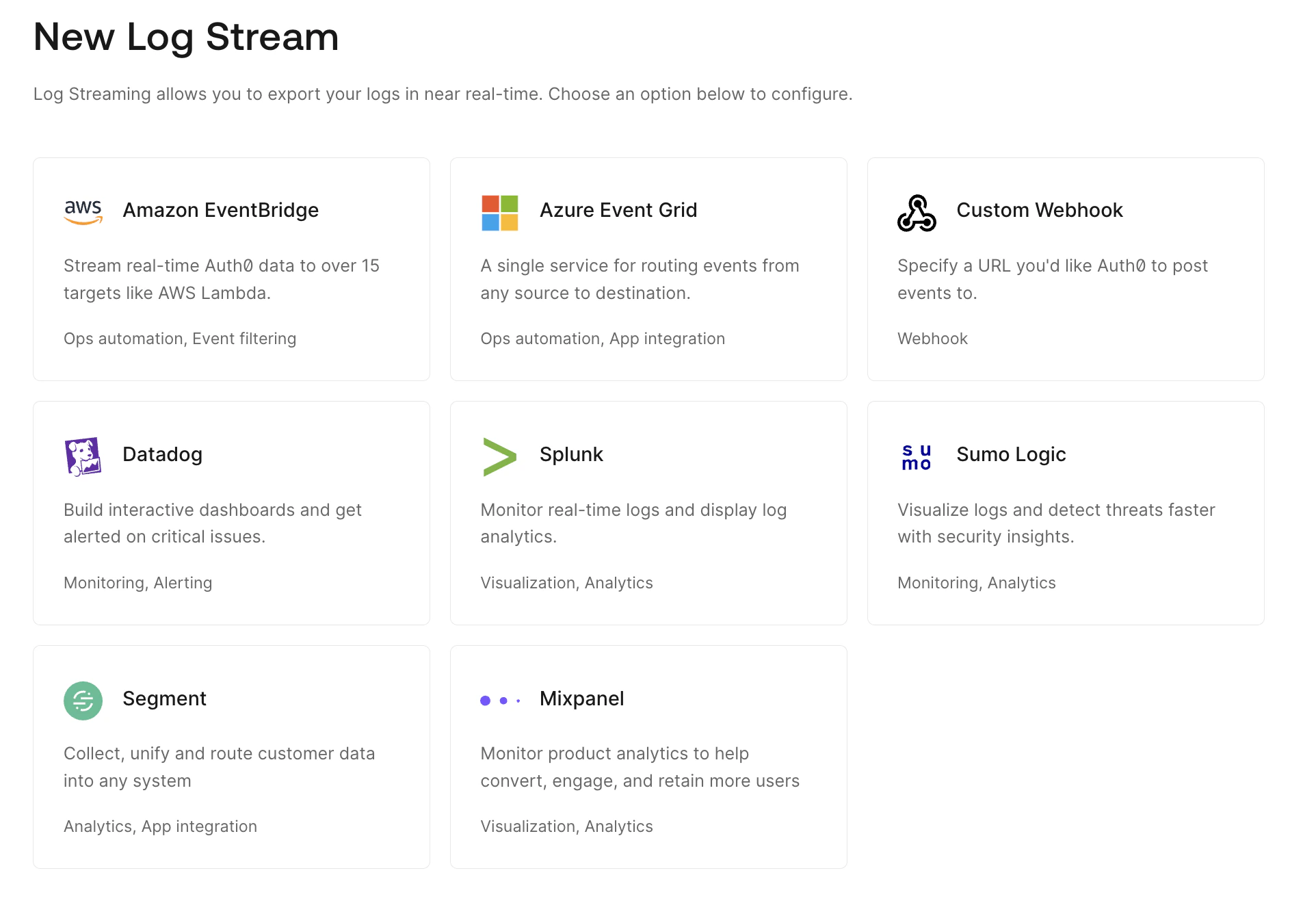
Auth0 Dashboard では、サポートされているサービスのいずれかを使用して新しいログストリームを作成できます。また、カスタムウェブフックを使用して、すでに利用しているサービスへのストリームを設定することもできます。
## サポート対象のログストリーミングサービス
[Auth0 Marketplace](https://marketplace.auth0.com) を通じて、以下をはじめとするさまざまな[ログストリーミングサービス](https://marketplace.auth0.com/features/log-streaming)をサポートしています。
* [Amazon EventBridge](https://marketplace.auth0.com/integrations/amazon-log-streaming)
* [Azure Event Grid](https://marketplace.auth0.com/integrations/azure-log-streaming)
* [Elastic](https://marketplace.auth0.com/integrations/elastic-security)
* [Logz.io](https://marketplace.auth0.com/integrations/logz-io)
* [MDR ONE](https://marketplace.auth0.com/integrations/mdr-one)
* [Mixpanel](https://marketplace.auth0.com/integrations/mixpanel-log-streaming)
* [Oodle AI](https://marketplace.auth0.com/integrations/oodle)
* [Oort](https://marketplace.auth0.com/integrations/oort)
* [Pangea](https://marketplace.auth0.com/integrations/pangea-log-streaming)
* [Panther](https://marketplace.auth0.com/integrations/panther-log-stream)
* [Perch Security](https://marketplace.auth0.com/integrations/perch-security-log-streaming)
* [Segment](https://marketplace.auth0.com/integrations/segment-log-streaming)
* [Slack](https://marketplace.auth0.com/integrations/slack-log-streaming)
* [Datadog](https://marketplace.auth0.com/integrations/datadog-log-streaming)
* Auth0 は Datadog 用のダッシュボードテンプレートを提供しています。詳しくは、[Use Auth0 Dashboard Templates with Datadog](/docs/ja-jp/customize/log-streams/datadog-dashboard-templates) をお読みください。
* [Splunk](https://marketplace.auth0.com/integrations/splunk-log-streaming)
* Auth0 は、お使いの Auth0 テナントのデータを可視化するためのダッシュボードも提供しています。この Auth0 App for Splunk を使用すると、Auth0 が推奨する集計を表示したり、それらを出発点として独自のカスタム可視化を作成したりできます。詳しくは、[Use Auth0 App for Splunk](/docs/ja-jp/customize/log-streams/splunk-dashboard) をお読みください。
* [Sumo Logic](https://marketplace.auth0.com/integrations/sumo-logic-log-streaming)
* Auth0 は、お使いの Auth0 テナントからのログイントラフィックを可視化し、その稼働状況を監視するための Sumo Logic アプリとダッシュボードを提供しています。これらを使用すると、Auth0 が推奨する集計を表示したり、それらを出発点として独自のカスタム可視化を作成したりすることもできます。詳しくは、[Use Auth0 App for Sumo Logic](/docs/ja-jp/customize/log-streams/sumo-logic-dashboard) をお読みください。
## 配信の試行
Auth0 は、システム内で各ログがトリガーされるたびに、お客様のサーバーへ配信します。ログは少なくとも 1 回配信されることを保証します。
ログがトリガーされると:
1. お客様のサーバーへのログ配信を最大 3 回試行します。
2. 3 回目の試行でもお客様のサーバーに到達できなかった場合は、ログストリームの **稼働状況** ビューに表示されるエラーが記録されます。
3. 問題が解決するまで、エラーになった各ログについてこのプロセスを再開します。
7 日間連続でお客様のサーバーに到達できなかった場合、ストリームは自動的に[一時停止](/docs/ja-jp/customize/log-streams/check-log-stream-health)されます。問題を解決した後、手動でストリームを再開する必要があります。
## ログの保持期間
Auth0 のログ保持期間は、[サブスクリプションレベル](/docs/ja-jp/deploy-monitor/logs/log-data-retention)によって異なります。
サーバーで Auth0 から送信されたログを受信できない場合は、ストリームを削除してから、Starting Cursor フィールドを保持期間内の特定の日時に設定して再作成できます。
## フィルタリングとPIIの難読化
顧客は、自身のログについて、どの[フィルターカテゴリ](/docs/ja-jp/deploy-monitor/logs/log-event-filters)をストリーミングし、どれを除外するかを選択できるため、外部の送信先には必要なデータのみを送信できます。さらに、ストリーミングされるログに含まれる個人を特定できる情報 (PII) をマスクまたはハッシュ化することもできます。
### PII の難読化
Auth0 では、テナントログの PII フィールドをサードパーティの destination にストリーミングする際に難読化する方法として、次の 2 つを提供しています。
* **マスキング:** フィールド値をアスタリスクに置き換えます
* **xxHash:** 高速な非暗号学的ハッシュアルゴリズム
ストリーミング時に、顧客は次のログデータとフィールド名を難読化できます。
| データ | フィールド名 |
| ------------ | --------------------------------------------------------------------------- |
| `first_name` | `first_name`
`given_name`
`name` |
| `last_name` | `last_name`
`family_name`
`name` |
| `email` | `email` |
| `phone` | `phone`
`phone_number`
`old_phone_number`
`new_phone_number` |
| `address` | `address` |
| `username` | `username`
`user_name` |
## さらに詳しく
* [ウェブフックを使用してカスタム ログストリーム を作成する](/docs/ja-jp/customize/log-streams/custom-log-streams)
* [ログストリーム の稼働状況を確認する](/docs/ja-jp/customize/log-streams/check-log-stream-health)
* [ログストリーム のフィルター](/docs/ja-jp/customize/log-streams/event-filters)