> ## Documentation Index
> Fetch the complete documentation index at: https://translations.mintlify.site/llms.txt
> Use this file to discover all available pages before exploring further.
# Ejemplos de código para casos de uso comunes de Tenant ACL
> Implemente casos de uso comunes de Tenant ACL con estos ejemplos de código para solicitudes a la Management API, SDK y CLI de Auth0, y el proveedor de Terraform de Auth0.
## Bloquear una solicitud
Este ejemplo de regla ACL de Tenant bloquea el tráfico entrante de un código de país de geolocalización específico.
Para crear esta regla ACL de Tenant con la Management API:
1. [Obtén un token de acceso de la Management API](/es/docs/secure/tokens/access-tokens/management-api-access-tokens/get-management-api-access-tokens-for-production) con el scope `create:network_acls`.
2. Llama al endpoint [Create access control list](https://auth0.com/docs/api/management/v2/network-acls/post-network-acls) de la Management API con el siguiente cuerpo:
```json expandable theme={null}
{
"description": "Example of blocking a request",
"active": true,
"priority": 2,
"rule": {
"action": {
"block": true
},
"match": {
"geo_country_codes": [
"{geoCountryCode}"
]
},
"scope": "authentication"
}
}{
"description": "Example of blocking a request",
"active": true,
"priority": 2,
"rule": {
"action": {
"block": true
},
"match": {
"geo_country_codes": [
"{geoCountryCode}"
]
},
"scope": "authentication"
}
}
```
```go expandable theme={null}
package main
import (
"context"
"log"
"github.com/auth0/go-auth0"
"github.com/auth0/go-auth0/management"
)
func main() {
mgmt, err := management.New("{yourDomain}", management.WithClientCredentials("{yourClientId}", "{yourClientSecret}"))
if err != nil {
log.Fatal(err)
}
networkACL := &management.NetworkACL{
Description: auth0.String("Example of blocking a request"),
Active: auth0.Bool(true),
Priority: auth0.Int(2),
Rule: &management.NetworkACLRule{
Action: &management.NetworkACLRuleAction{
Block: auth0.Bool(true),
},
Match: &management.NetworkACLRuleMatch{
GeoCountryCodes: &[]string{"{geoCountryCode}"},
},
Scope: auth0.String("authentication"),
},
}
err = mgmt.NetworkACL.Create(context.Background(), networkACL)
if err != nil {
log.Fatal(err)
}
log.Println("Network ACL has been created")
}
```
```js theme={null}
const createNetworkAclPayload: Management.CreateNetworkAclRequestContent = {
description: "Example of blocking a request",
active: true,
priority: 2,
rule: {
action: {
block: true,
},
match: {
geo_country_codes: ["{geoCountryCode}"],
},
scope: "authentication",
},
};
const createNetworkAcl = await client.networkAcls.create(createNetworkAclPayload);
```
```terraform theme={null}
resource "auth0_network_acl" "example_blocking_request_acl" {
description = "Example of blocking a request"
active = true
priority = 2
rule {
action {
block = true
}
match {
geo_country_codes = ["{geoCountryCode}"]
}
scope = "authentication"
}
}
```
```yaml theme={null}
networkACLs:
- description: Example of blocking a request
active: true
priority: 2
rule:
action:
block: true
match:
geo_country_codes:
- {geoCountryCode}
scope: authentication
```
```bash wrap theme={null}
auth0 network-acl create \
--description "Example of blocking a request" \
--active true \
--priority 2 \
--rule '{"action":{"block":true},"match":{"geo_country_codes":["{geoCountryCode}"]},"scope":"authentication"}'
```
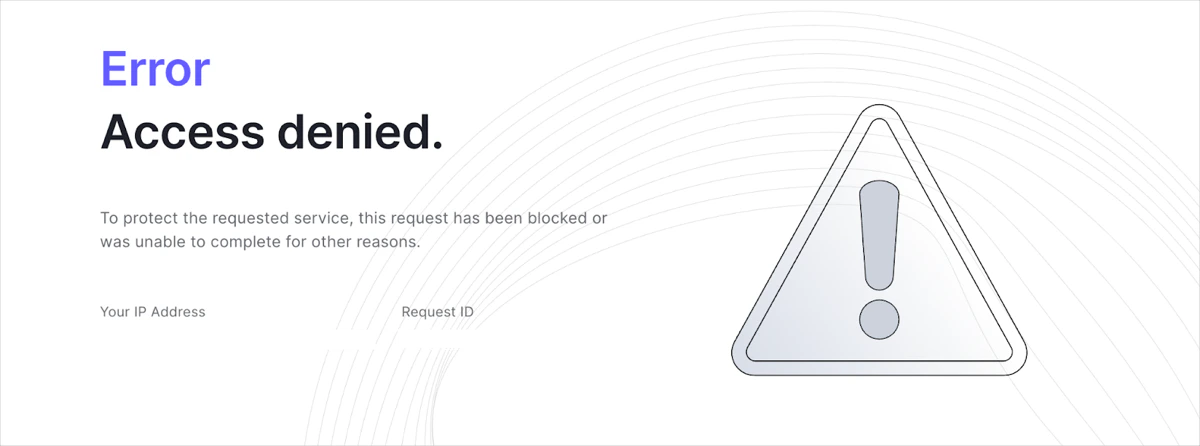
Este es un ejemplo de una página de bloqueo:
## Permitir una solicitud
Este ejemplo de regla de ACL de Tenant permite el tráfico solo desde un código de país de geolocalización específico.
Para crear esta regla de ACL de Tenant con la Management API:
1. [Obtén un token de acceso de Management API](/es/docs/secure/tokens/access-tokens/management-api-access-tokens/get-management-api-access-tokens-for-production) con el scope `create:network_acls`.
2. Llama al [endpoint Create access control list](https://auth0.com/docs/api/management/v2/network-acls/post-network-acls) de la Management API con el siguiente cuerpo:
```json theme={null}
{
"description": "Example of allowing a request",
"active": true,
"priority": 2,
"rule": {
"action": {
"allow": true
},
"match": {
"geo_country_codes": [
"{geoCountryCode}"
]
},
"scope": "authentication"
}
}
```
```go expandable theme={null}
package main
import (
"context"
"log"
"github.com/auth0/go-auth0"
"github.com/auth0/go-auth0/management"
)
func main() {
mgmt, err := management.New("{yourDomain}", management.WithClientCredentials("{yourClientId}", "{yourClientSecret}"))
if err != nil {
log.Fatal(err)
}
networkACL := &management.NetworkACL{
Description: auth0.String("Example of allowing a request"),
Active: auth0.Bool(true),
Priority: auth0.Int(2),
Rule: &management.NetworkACLRule{
Action: &management.NetworkACLRuleAction{
Allow: auth0.Bool(true),
},
Match: &management.NetworkACLRuleMatch{
GeoCountryCodes: &[]string{"{geoCountryCode}"},
},
Scope: auth0.String("authentication"),
},
}
err = mgmt.NetworkACL.Create(context.Background(), networkACL)
if err != nil {
log.Fatal(err)
}
log.Println("Network ACL has been created")
}
```
```js theme={null}
const createNetworkAclPayload: Management.CreateNetworkAclRequestContent = {
description: "Example of allowing a request",
active: true,
priority: 2,
rule: {
action: {
allow: true,
},
match: {
geo_country_codes: ["{geoCountryCode}"],
},
scope: "authentication",
},
};
const createNetworkAcl = await client.networkAcls.create(createNetworkAclPayload);
```
```terraform theme={null}
resource "auth0_network_acl" "example_allowing_request_acl" {
description = "Example of allowing a request"
active = true
priority = 2
rule {
action {
allow = true
}
match {
geo_country_codes = ["{geoCountryCode}"]
}
scope = "authentication"
}
}
```
```yaml theme={null}
networkACLs:
- description: Example of allowing a request
active: true
priority: 2
rule:
action:
allow: true
match:
geo_country_codes:
- {geoCountryCode}
scope: authentication
```
```bash wrap theme={null}
auth0 network-acl create \
--description "Example of allowing a request" \
--active true \
--priority 2 \
--rule '{"action":{"allow":true},"match":{"geo_country_codes":["{geoCountryCode}"]},"scope":"authentication"}'
```
## Redirigir una solicitud
Este ejemplo de regla ACL de tenant redirige todo el tráfico procedente de un código de país de geolocalización específico.
Para crear esta regla ACL de tenant con la Management API:
1. [Obtén un token de acceso para la Management API](/es/docs/secure/tokens/access-tokens/management-api-access-tokens/get-management-api-access-tokens-for-production) con el scope `create:network_acls`.
2. Llama al endpoint [Create access control list](https://auth0.com/docs/api/management/v2/network-acls/post-network-acls) de la Management API con el siguiente cuerpo:
```json theme={null}
{
"description": "Example of redirecting a request",
"active": true,
"priority": 2,
"rule": {
"action": {
"redirect": true,
"redirect_uri": "REDIRECT_URI"
},
"match": {
"geo_country_codes": [
"{geoCountryCode}"
]
},
"scope": "authentication"
}
}
```
```go expandable theme={null}
package main
import (
"context"
"log"
"github.com/auth0/go-auth0"
"github.com/auth0/go-auth0/management"
)
func main() {
mgmt, err := management.New("{yourDomain}", management.WithClientCredentials("{yourClientId}", "{yourClientSecret}"))
if err != nil {
log.Fatal(err)
}
networkACL := &management.NetworkACL{
Description: auth0.String("Example of redirecting a request"),
Active: auth0.Bool(true),
Priority: auth0.Int(2),
Rule: &management.NetworkACLRule{
Action: &management.NetworkACLRuleAction{
Redirect: auth0.Bool(true),
RedirectURI: auth0.String("REDIRECT_URI"),
},
Match: &management.NetworkACLRuleMatch{
GeoCountryCodes: &[]string{"{geoCountryCode}"},
},
Scope: auth0.String("authentication"),
},
}
err = mgmt.NetworkACL.Create(context.Background(), networkACL)
if err != nil {
log.Fatal(err)
}
log.Println("Network ACL has been created")
}
```
```js theme={null}
const createNetworkAclPayload: Management.CreateNetworkAclRequestContent = {
description: "Example of a complex comparison",
active: true,
priority: 1,
rule: {
action: {
block: true,
},
match: {
geo_country_codes: ["{geoCountryCode}"],
},
not_match: {
geo_subdivision_codes: ["{geoSubdivisionCode}"],
},
scope: "authentication",
},
};
const createNetworkAcl = await client.networkAcls.create(createNetworkAclPayload);
```
```terraform theme={null}
resource "auth0_network_acl" "example_complex_comparison_acl" {
description = "Example of a complex comparison"
active = true
priority = 1
rule {
action {
block = true
}
match {
geo_country_codes = ["{geoCountryCode}"]
}
not_match {
geo_subdivision_codes = ["{geoSubdivisionCode}"]
}
scope = "authentication"
}
}
```
```yaml theme={null}
networkACLs:
- description: Example of a complex comparison
active: true
priority: 1
rule:
action:
block: true
match:
geo_country_codes:
- {geoCountryCode}
not_match:
geo_subdivision_codes:
- {geoSubdivisionCode}
scope: authentication
```
```bash wrap theme={null}
auth0 network-acl create \
--description "Example of a complex comparison"
--active true \
--priority 1 \
--rule '{"action":{"block":true},"match":{"geo_country_codes":["{geoCountryCode}"]},"not_match":{"geo_subdivision_codes":["{geoSubdivisionCode}"]},"scope":"authentication"}'
```
## Comparaciones complejas
Puede combinar los operadores `match` y `not_match` en una única regla de ACL de Tenant para aplicar políticas de acceso detalladas.
Este ejemplo de regla de ACL de Tenant evalúa las señales `geo_country_code` y `geo_subdivision_code` para bloquear todo el tráfico procedente de un país determinado, excepto el de un estado, región o provincia específicos dentro de ese país.
Para crear esta regla de ACL de Tenant con la Management API:
1. [Obtenga un token de acceso de la Management API](/es/docs/secure/tokens/access-tokens/management-api-access-tokens/get-management-api-access-tokens-for-production) con el scope `create:network_acls`.
2. Llame al endpoint [Create access control list](https://auth0.com/docs/api/management/v2/network-acls/post-network-acls) de la Management API con el siguiente cuerpo:
```json theme={null}
{
"description": "Example of a complex comparison",
"active": true,
"priority": 1,
"rule": {
"action": {
"block": true
},
"match": {
"geo_country_codes": [
"{geoCountryCode}"
]
},
"not_match": {
"geo_subdivision_codes": [
"{geoSubdivisionCode}"
]
},
"scope": "authentication"
}
}
```
```go expandable theme={null}
package main
import (
"context"
"log"
"github.com/auth0/go-auth0"
"github.com/auth0/go-auth0/management"
)
func main() {
mgmt, err := management.New("{yourDomain}", management.WithClientCredentials("{yourClientId}", "{yourClientSecret}"))
if err != nil {
log.Fatal(err)
}
networkACL := &management.NetworkACL{
Description: auth0.String("Example of a complex comparison"),
Active: auth0.Bool(true),
Priority: auth0.Int(1),
Rule: &management.NetworkACLRule{
Action: &management.NetworkACLRuleAction{
Block: auth0.Bool(true),
},
Match: &management.NetworkACLRuleMatch{
GeoCountryCodes: &[]string{"{geoCountryCode}"},
},
NotMatch: &management.NetworkACLRuleMatch{
GeoSubdivisionCodes: &[]string{"{geoSubdivisionCode}"},
},
Scope: auth0.String("authentication"),
},
}
err = mgmt.NetworkACL.Create(context.Background(), networkACL)
if err != nil {
log.Fatal(err)
}
log.Println("Network ACL has been created")
}
```
```js theme={null}
const createNetworkAclPayload: Management.CreateNetworkAclRequestContent = {
description: "Example of a complex comparison",
active: true,
priority: 1,
rule: {
action: {
block: true,
},
match: {
geo_country_codes: ["{geoCountryCode}"],
},
not_match: {
geo_subdivision_codes: ["{geoSubdivisionCode}"],
},
scope: "authentication",
},
};
const createNetworkAcl = await client.networkAcls.create(createNetworkAclPayload);
```
```terraform theme={null}
resource "auth0_network_acl" "example_complex_comparison_acl" {
description = "Example of a complex comparison"
active = true
priority = 1
rule {
action {
block = true
}
match {
geo_country_codes = ["{geoCountryCode}"]
}
not_match {
geo_subdivision_codes = ["{geoSubdivisionCode}"]
}
scope = "authentication"
}
}
```
```yaml theme={null}
networkACLs:
- description: Example of a complex comparison
active: true
priority: 1
rule:
action:
block: true
match:
geo_country_codes:
- {geoCountryCode}
not_match:
geo_subdivision_codes:
- {geoSubdivisionCode}
scope: authentication
```
```bash wrap theme={null}
auth0 network-acl create \
--description "Example of a complex comparison" \
--active true \
--priority 1 \
--rule '{"action":{"block":true},"match":{"geo_country_codes":["{geoCountryCode}"]},"not_match":{"geo_subdivision_codes":["{geoSubdivisionCode}"]},"scope":"authentication"}'
```
## Obligar a que el tráfico pase por una infraestructura específica
Puede combinar las señales `hostnames` y `connecting_ipv4_cidrs` para enrutar las solicitudes a su inquilino exclusivamente a través de su infraestructura autorizada, como un proxy inverso o una VPN.
Este ejemplo de regla de Tenant ACL bloquea el acceso a su dominio canónico y a sus dominios personalizados, a menos que la solicitud se origine en un conjunto específico de direcciones IP que se conectan directamente al edge de Auth0. Esto evita que los usuarios eludan sus controles de seguridad accediendo directamente a los nombres de host de su inquilino desde la Internet pública.
Para crear esta regla de Tenant ACL con la Management API:
1. [Obtenga un token de acceso para la Management API](/es/docs/secure/tokens/access-tokens/management-api-access-tokens/get-management-api-access-tokens-for-production) con el `create:network_acls` scope.
2. Llame al endpoint [Create access control list](https://auth0.com/docs/api/management/v2/network-acls/post-network-acls) de la Management API con el siguiente cuerpo:
```json theme={null}
{
"description": "Restrict access to specific proxy IPs for custom and canonical domains",
"active": true,
"priority": 10,
"rule": {
"action": {
"block": true
},
"match": {
"hostnames": ["auth.example.com", "my-tenant.us.auth0.com"]
},
"not_match": {
"connecting_ipv4_cidrs": [
"192.0.2.0/24",
"203.0.113.5/32"
]
},
"scope": "tenant"
}
}
```