> ## Documentation Index
> Fetch the complete documentation index at: https://translations.mintlify.site/llms.txt
> Use this file to discover all available pages before exploring further.
> Auth0 Rules をデバッグする方法について説明します。
# Rules のデバッグ
Rules と Hooks のサポート終了 (EOL) 日は **2026 年 11 月 18 日** です。また、**2023 年 10 月 16 日** 以降に作成された新規テナントでは、これらはすでに利用できません。アクティブな Hooks を使用している既存のテナントでは、サポート終了日まで Hooks 製品へのアクセスが維持されます。
Auth0 を拡張するには、Actions の使用を強くお勧めします。Actions では、豊富な型情報、インラインドキュメント、公開 `npm` パッケージを利用できるほか、外部統合に接続して拡張機能全体の利用体験を向上させることもできます。Actions の詳細については、[Understand How Auth0 Actions Work](/ja/docs/customize/actions/actions-overview) を参照してください。
移行を支援するために、[Rules から Actions への移行](/ja/docs/customize/actions/migrate/migrate-from-rules-to-actions) と [Hooks から Actions への移行](/ja/docs/customize/actions/migrate/migrate-from-hooks-to-actions) のガイドを用意しています。また、機能比較、[Actions のデモ](https://www.youtube.com/watch?v=UesFSY1klrI)、および移行を進めるうえで役立つその他のリソースを紹介した専用の [Move to Actions](https://auth0.com/extensibility/movetoactions) ページもあります。
Rules と Hooks の廃止予定の詳細については、ブログ記事 [Preparing for Rules and Hooks End of Life](https://auth0.com/blog/preparing-for-rules-and-hooks-end-of-life/) を参照してください。
Auth0 のパブリックエンドポイント (例: `travel0.us.auth0.com`) では IPv6 アドレスを公開しています。IPv6 をサポートするマシンからリクエストが送信されると、`context.request.ip` プロパティには IPv6 アドレスが含まれます。IP アドレスを手動で処理する場合は、[ipaddr.js@1.9.0 library](https://www.npmjs.com/package/ipaddr.js/v/1.9.0) を使用することをお勧めします。
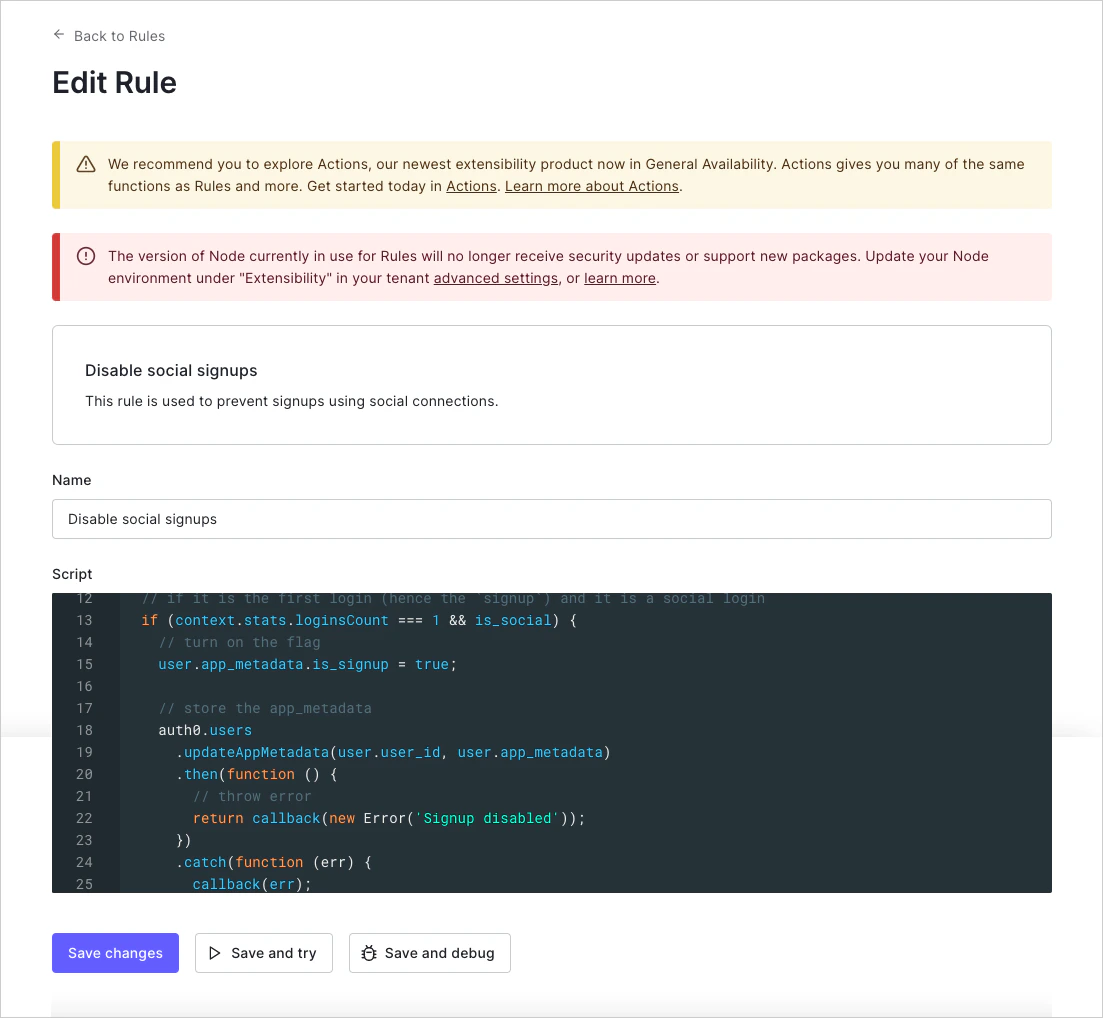
作成した [Auth0 Rule](/ja/docs/customize/rules) をデバッグするには、ルールコード内で `console.log` を使用できます。`console.log` の出力は、**Save and Try** の使用、[Actions リアルタイムログ](/ja/docs/customize/actions/actions-real-time-logs) で確認できるログの表示、またはレガシークライアントの場合は [Debug Rule CLI](#debug-rule-cli) を使用して確認できます。
## この Rule を試す
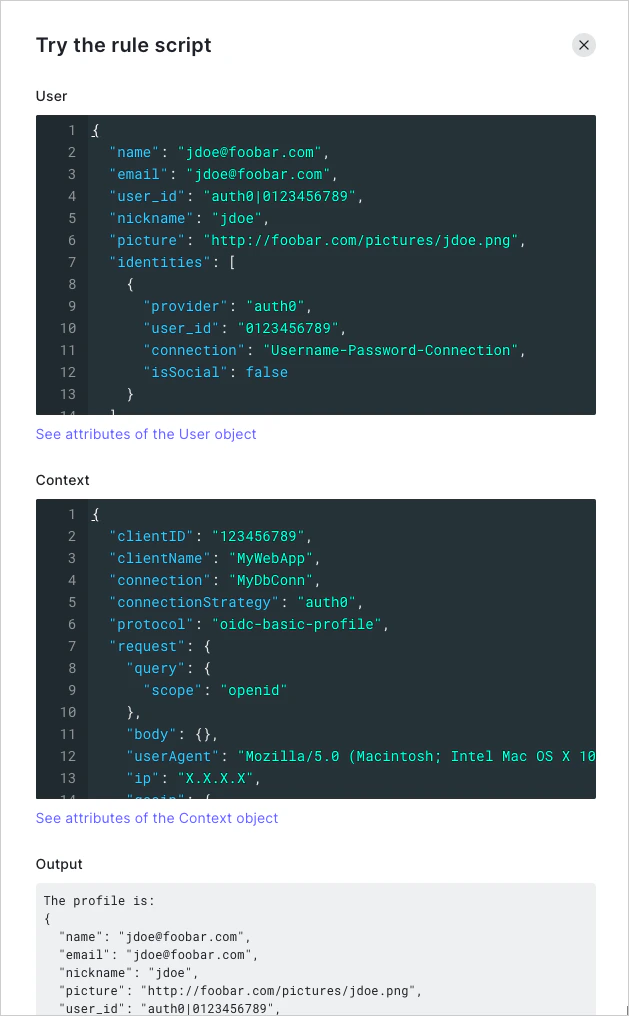
[Rules Editor](https://manage.auth0.com/#/rules/create) では、**Save and Try** ボタンを使用して、モックの **ユーザー** オブジェクトと **context** オブジェクトを使って Rule を単独で実行できます。**TRY** をクリックすると、これら 2 つのオブジェクトを入力として Rule が実行され、`console.log` の出力があれば表示されます。
**Try this rule script** 機能は、特定のクライアント コンテキストに依存せずに動作します。この機能を使用する場合、Rule が実際のアプリケーションから呼び出された際に渡されるデータに依存していると、問題が発生することがあります。
## Actions リアルタイムログ
Actions リアルタイムログには、アカウント内のすべてのカスタムコードのログがリアルタイムで表示されます。これには、`console.log` の出力と例外がすべて含まれます。詳細については、[Actions リアルタイムログ](/ja/docs/customize/actions/actions-real-time-logs)を参照してください。