> ## Documentation Index
> Fetch the complete documentation index at: https://translations.mintlify.site/llms.txt
> Use this file to discover all available pages before exploring further.
# ResetPasswordRequest
> Universal Login の `reset-password-request` 画面をカスタマイズするために使用できる、すべてのプロパティとメソッドについて説明します。
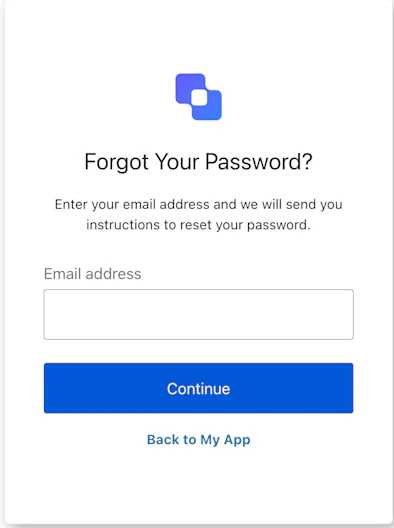
ResetPasswordRequest クラスは、`reset-password-request` 画面の機能を実装します。この画面では、パスワードリセットフローを開始するために、ユーザーに識別子の入力を求めます。
## コンストラクター
ResetPasswordRequest 画面マネージャーのインスタンスを生成します。
```typescript Example theme={null}
import ResetPasswordRequest from '@auth0/auth0-acul-js/reset-password-request';
const resetPasswordRequestManager = new ResetPasswordRequest();
await resetPasswordRequestManager.resetPassword({ username: 'testuser' });
```
## プロパティ
BrandingMembers}>
ブランディングテーマや設定など、ブランディング関連の構成を提供します。
ClientMembers}>
`reset-password-request` 画面向けの、`id`、`name`、`logoUrl` などのクライアント関連の構成を提供します。
OrganizationMembers}>
ユーザーの組織に関する情報 (`id` や `name` など) を提供します。
PromptMembers}>
認証フローにおける現在のプロンプトに関するデータを含みます。
ScreenMembersOnResetPasswordRequest}>
設定やコンテキストなど、`reset-password-request` 画面固有の詳細を含みます。
TenantMembers}>
`id` や関連するメタデータなど、テナントに関するデータを含みます。
TransactionMembersOnResetPasswordRequest}>
アクティブな識別子やフローの状態など、`reset-password-request` 画面のトランザクション固有のデータを提供します。
UntrustedDataMembers}>
パスワードリセット要求フロー中のユーザー入力など、SDK に渡される信頼できないデータを含みます。
UserMembers}>
`username`、`email`、`roles` などを含む、現在のユーザーの詳細です。
## メソッド
このメソッドは、ユーザーをログイン画面に戻します。
```typescript Example theme={null}
import ResetPasswordRequest from '@auth0/auth0-acul-js/reset-password-request';
const resetPasswordRequestManager = new ResetPasswordRequest();
await resetPasswordRequestManager.backToLogin();
```
このメソッドは、Universal Login ページの表示言語を変更します。
```typescript Example theme={null}
import ResetPasswordRequest from '@auth0/auth0-acul-js/reset-password-request';
const resetPasswordRequestManager = new ResetPasswordRequest();
resetPasswordRequestManager.changeLanguage({
language: 'fr',
});
```
**メソッドパラメーター**
[LanguageChangeOptions](/ja/docs/libraries/acul/js-sdk/Screens/interfaces/LanguageChangeOptions)。
変更先の言語のロケールコード (例: `'en'`、`'fr'`、`'es'`) 。
`'session'` に設定すると、選択した言語がセッション中保持されます。
Error[]}>
このメソッドは、コンテキストからトランザクションエラーの配列を取得します。エラーがない場合は空の配列を返します。
ScreenIdentifierType[]}>
このメソッドは、`reset-password-request` 画面に設定されている有効な識別子タイプ (`username` や `email` など) を返します。
```typescript Example theme={null}
import ResetPasswordRequest from '@auth0/auth0-acul-js/reset-password-request';
const resetPasswordRequestManager = new ResetPasswordRequest();
resetPasswordRequestManager.getLoginIdentifiers();
```
このメソッドは、ユーザーの識別子を送信してパスワードリセットフローを開始します。
```typescript Example theme={null}
import ResetPasswordRequest from '@auth0/auth0-acul-js/reset-password-request';
const resetPasswordRequestManager = new ResetPasswordRequest();
await resetPasswordRequestManager.resetPassword({ username: 'testuser' });
```
**メソッドパラメーター**
[ResetPasswordRequestOptions](/ja/docs/libraries/acul/js-sdk/Screens/interfaces/ResetPasswordRequestOptions)。
リセット対象のアカウントの username またはメールアドレス。
このテナントで CAPTCHA が有効な場合の CAPTCHA 応答トークン。