> ## Documentation Index
> Fetch the complete documentation index at: https://translations.mintlify.site/llms.txt
> Use this file to discover all available pages before exploring further.
# LogoutComplete
> Universal Login の `logout-complete` 画面をカスタマイズするために使用できる、すべてのフックとメソッドについて説明します。
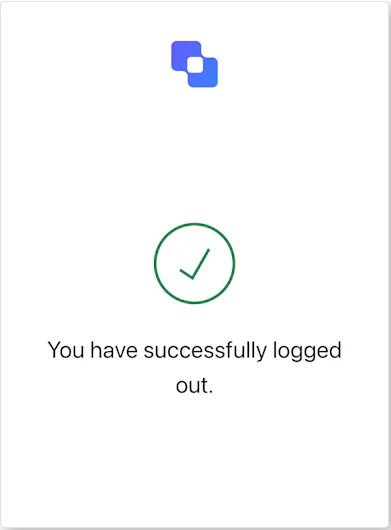
`logout-complete` 画面は、ユーザーがログアウト処理を正常に完了すると表示されます。
## インポート
各画面には、それぞれ固有のフックとメソッドが用意されています。SDK では、各画面に対して**部分インポート**と**ルートインポート**をサポートしています。
* 部分インポートを使用すると、特定のユースケースに必要な code のみを含めることができます。
* ルートインポートを使用すると、単一のバンドルからすべての画面を読み込めます。これは、考えられるすべての画面に対応するために、統一されたビルドを使用したい場合に便利です。
```jsx Import Example theme={null}
// ルートインポート
import { useLogoutComplete } from '@auth0/auth0-acul-react';
// 部分インポート
import {
useLogoutComplete,
// コンテキストフック
useUser,
useTenant,
useBranding,
useClient,
useOrganization,
usePrompt,
useScreen,
useTransaction,
useUntrustedData,
// 共通フック
useCurrentScreen,
useAuth0Themes,
useErrors,
// ユーティリティフック
useChangeLanguage,
} from '@auth0/auth0-acul-react/logout-complete';
function LogoutCompleteScreen() {
const screen = useLogoutComplete();
// これは表示専用の画面です — 利用可能なアクションはありません。
return You have been signed out.
;
}
```
## コンテキストフック
`logout-complete` 画面で Auth0 のコンテキストデータへの読み取り専用アクセスを提供する、画面スコープのフックです。`@auth0/auth0-acul-react/logout-complete` からインポートします。
() => BrandingMembers}>
このフックは、`logout-complete` 画面に表示されるロゴ、色、テーマ設定などのブランディング設定を提供します。
```jsx Example theme={null}
import { useBranding } from '@auth0/auth0-acul-react/logout-complete';
function CustomTheme() {
const branding = useBranding();
}
```
() => ClientMembers}>
このフックは、`logout-complete` 画面に関する `id`、`name`、`logoUrl` などのクライアント関連の設定を提供します。
```jsx Example theme={null}
import { useClient } from '@auth0/auth0-acul-react/logout-complete';
function AppInfo() {
const client = useClient();
}
```
() => OrganizationMembers}>
このフックは、セッションが組織スコープである場合に、ユーザーの組織に関する情報を提供します。組織コンテキストが存在しない場合は `null` を返します。
```jsx Example theme={null}
import { useOrganization } from '@auth0/auth0-acul-react/logout-complete';
function OrgSelector() {
const organization = useOrganization();
if (!organization) {
return No organization context
;
}
}
```
() => PromptMembers}>
このフックは、認証フロー内の現在のプロンプトに関するデータを提供します。
```jsx Example theme={null}
import { usePrompt } from '@auth0/auth0-acul-react/logout-complete';
function FlowInfo() {
const prompt = usePrompt();
}
```
() => ScreenMembers}>
このフックは、設定やコンテキストなど、`logout-complete` 画面固有の詳細を提供します。
```jsx Example theme={null}
import { useScreen } from '@auth0/auth0-acul-react/logout-complete';
function ScreenDebug() {
const screen = useScreen();
}
```
() => TenantMembers}>
このフックは、`id` や関連メタデータなど、テナントに関するデータを提供します。
```jsx Example theme={null}
import { useTenant } from '@auth0/auth0-acul-react/logout-complete';
function TenantInfo() {
const tenant = useTenant();
}
```
() => TransactionMembers}>
このフックは、アクティブな接続や現在のフロー state など、`logout-complete` 画面のトランザクション固有のデータを提供します。
```jsx Example theme={null}
import { useTransaction } from '@auth0/auth0-acul-react/logout-complete';
function TransactionInfo() {
const transaction = useTransaction();
}
```
() => UntrustedDataMembers}>
このフックは、URL クエリ文字列のパラメータなど、画面に渡される信頼できないデータを提供します。
```jsx Example theme={null}
import { useUntrustedData } from '@auth0/auth0-acul-react/logout-complete';
function PrefilledForm() {
const untrustedData = useUntrustedData();
}
```
() => UserMembers}>
このフックは、アクティブなユーザーの詳細情報 (`username`、`email`、利用可能な認証方法など) を提供します。
```jsx Example theme={null}
import { useUser } from '@auth0/auth0-acul-react/logout-complete';
function UserProfile() {
const user = useUser();
}
```
LogoutCompleteMembers}>
このフックは、`logout-complete` 画面で利用可能なすべてのメソッドとコンテキストを返します。
## 共通/ユーティリティ フック
useAuth0Themes} type="Hooks">
このフックは、ブランディングコンテキストから、フラット化された設定を含む現在のテーマオプションを取得します。
useChangeLanguage} type="Hooks">
このフックは、現在のACUL画面の表示言語を変更する関数を返します。
useCurrentScreen} type="Hooks">
このフックは、現在の画面のコンテキストとstateを取得します。
useErrors} type="Hooks">
このフックは、画面上のサーバー、クライアント、開発者の各エラーを参照および管理します。