> ## Documentation Index
> Fetch the complete documentation index at: https://translations.mintlify.site/llms.txt
> Use this file to discover all available pages before exploring further.
> Auth0 Dashboard、Management API、Actions を使用して、テナントのセッション有効期間を設定する方法を説明します。
# セッション有効期間を設定する
セッションの有効期間を設定するには、Auth0 [Dashboard](/ja/docs/get-started/auth0-overview/dashboard)、[Management API](https://auth0.com/docs/api/management/v2)、または [Post-Login Action](/ja/docs/customize/actions/explore-triggers/signup-and-login-triggers/login-trigger) を使用できます。
## Auth0 Dashboard
Auth0 Dashboard を使用してセッションの有効期間を設定するには、次の手順を実行します。
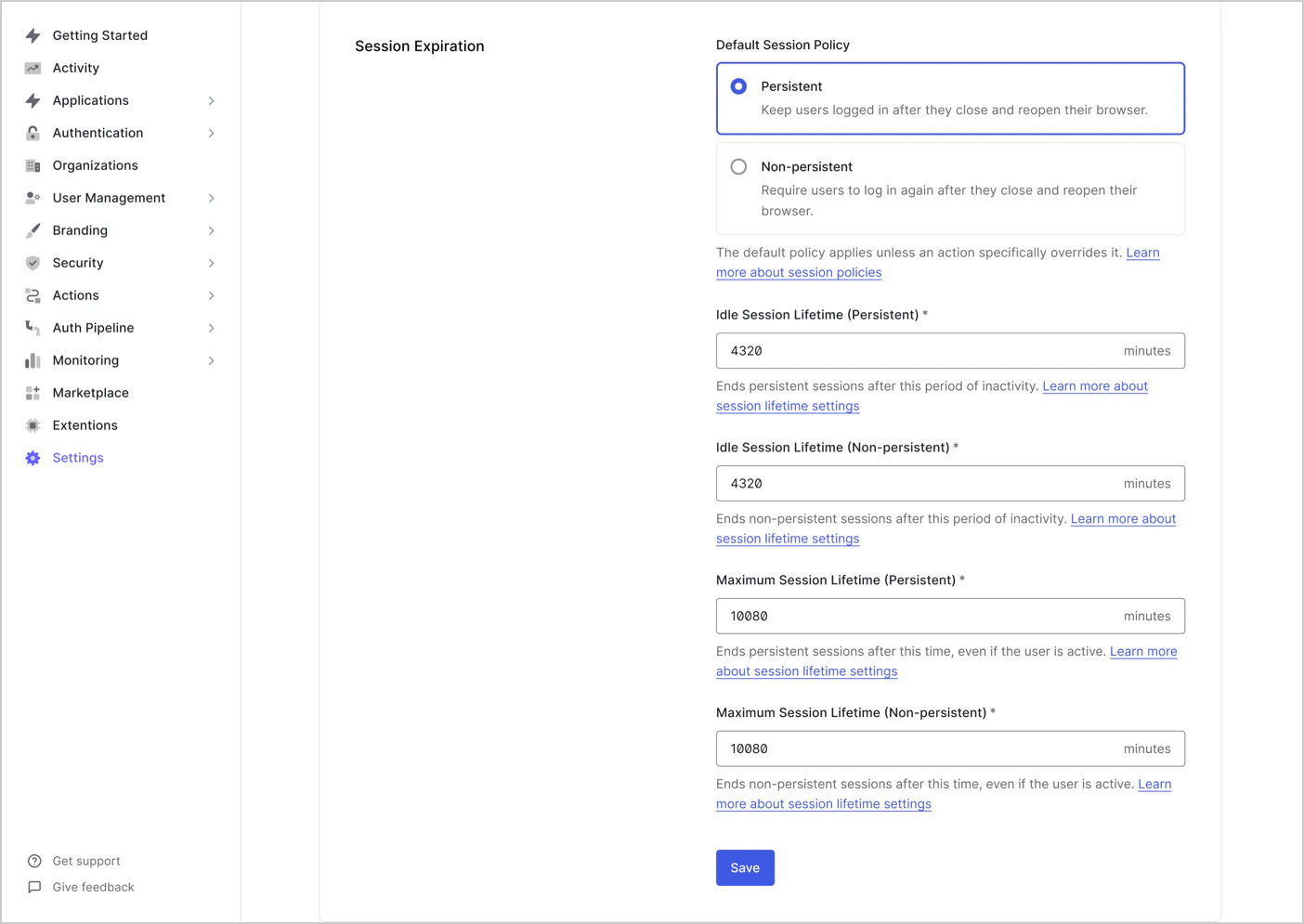
1. **Dashboard > Tenant Settings** に移動し、**Advanced** ビューを選択します。
2. **Session Expiration** で、次の設定を行います。
| Session Policy | Description |
| --------------------------------------------- | ---------------------------------------- |
| **Idle Session Lifetime (Persistent)** | 永続セッションが期限切れになるまでのアイドル状態の最大時間 (分) 。 |
| **Idle Session Lifetime (Non-Persistent)** | 非永続セッションが期限切れになるまでのアイドル状態の最大時間 (分) 。 |
| **Maximum Session Lifetime (Persistent)** | ユーザーがアクティブであっても、永続セッションを維持できる最大時間 (分) 。 |
| **Maximum Session Lifetime (Non-Persistent)** | ユーザーがアクティブであっても、非永続セッションを維持できる最大時間 (分) 。 |
## Auth0 Management API
Auth0 Management API を使用してセッションの有効期間を設定するには、次のようにします。
`/api/v2/tenants/settings` エンドポイントを呼び出すには、`update:tenant_settings` スコープを持つ [Management API アクセストークン](/ja/docs/secure/tokens/access-tokens) が必要です。
[/api/v2/tenants/settings](/ja/docs/api/management/v2/tenants/patch-settings) エンドポイントに `PATCH` リクエストを送信します。
```bash cURL theme={null}
curl --request PATCH \
--url 'https:///api/v2/tenants/settings' \
--header 'Authorization: Bearer MGMT_API_ACCESS_TOKEN' \
--header 'Content-Type: application/json' \
--data '{\
"session_lifetime": SESSION_LIFETIME_VALUE,\
"idle_session_lifetime": IDLE_SESSION_LIFETIME_VALUE,\
"ephemeral_session_lifetime": EPHEMERAL_SESSION_LIFETIME_VALUE,\
"idle_ephemeral_session_lifetime": EPHEMERAL_IDLE_SESSION_LIFETIME_VALUE\
}'
```
| パラメーター | 説明 |
| --------------------------------- | -------------------------------------------- |
| `session_lifetime` | 絶対タイムアウトまでの最大時間 (時間単位) 。 |
| `idle_session_lifetime` | 非アクティブ状態が続いた場合にセッションが期限切れになるまでの最大時間 (時間単位) 。 |
| `ephemeral_session_lifetime` | 絶対タイムアウトまでの最大時間 (時間単位) 。 |
| `idle_ephemeral_session_lifetime` | 非アクティブ状態が続いた場合にセッションが期限切れになるまでの最大時間 (時間単位) 。 |
## Auth0 Post-Login Actions
[post-login Action](/ja/docs/customize/actions/explore-triggers/signup-and-login-triggers/login-trigger) で `api.session` メソッドを使用すると、セッションの動作を動的に設定できます。これにより、ユーザーまたはコンテキスト固有のロジックに基づいて、ログインごとにテナントのデフォルトのセッション設定を上書きできます。
ユースケースには次のようなものがあります。
* リスクの高いログインのタイムアウトを短縮する
* 信頼できるユーザーまたは組織のタイムアウトを延長する
* アプリケーションの種類に応じてクッキーの永続性を調整する
セッションの有効期間を設定するために使用できる `api.session` メソッドは、次のとおりです。
* `api.session.setExpiresAt`
* `api.session.setIdleExpiresAt`
* `api.session.setCookieMode`
`api.session` メソッドは現在のセッションにのみ適用され、ログイン トランザクション中に呼び出す必要があります。これらのメソッドを使用するには、イベント プロパティ `event.session.id` が利用可能である必要があります。
詳細については、[Sessions with Actions](/ja/docs/manage-users/sessions/manage-sessions-actions) を参照してください。