> ## Documentation Index
> Fetch the complete documentation index at: https://translations.mintlify.site/llms.txt
> Use this file to discover all available pages before exploring further.

> Auth0 が攻撃を検知し、アプリケーションへの悪意のあるアクセス試行を防ぎ、不審なアクティビティを管理者やユーザーに通知し、以後のログイン試行をブロックする仕組みについて説明します。

# 攻撃対策

Auth0 は攻撃を検知し、特定の IP からのトラフィックをブロックしたり CAPTCHA を表示したりすることで、アプリケーションへの悪意のあるアクセス試行を防止できます。

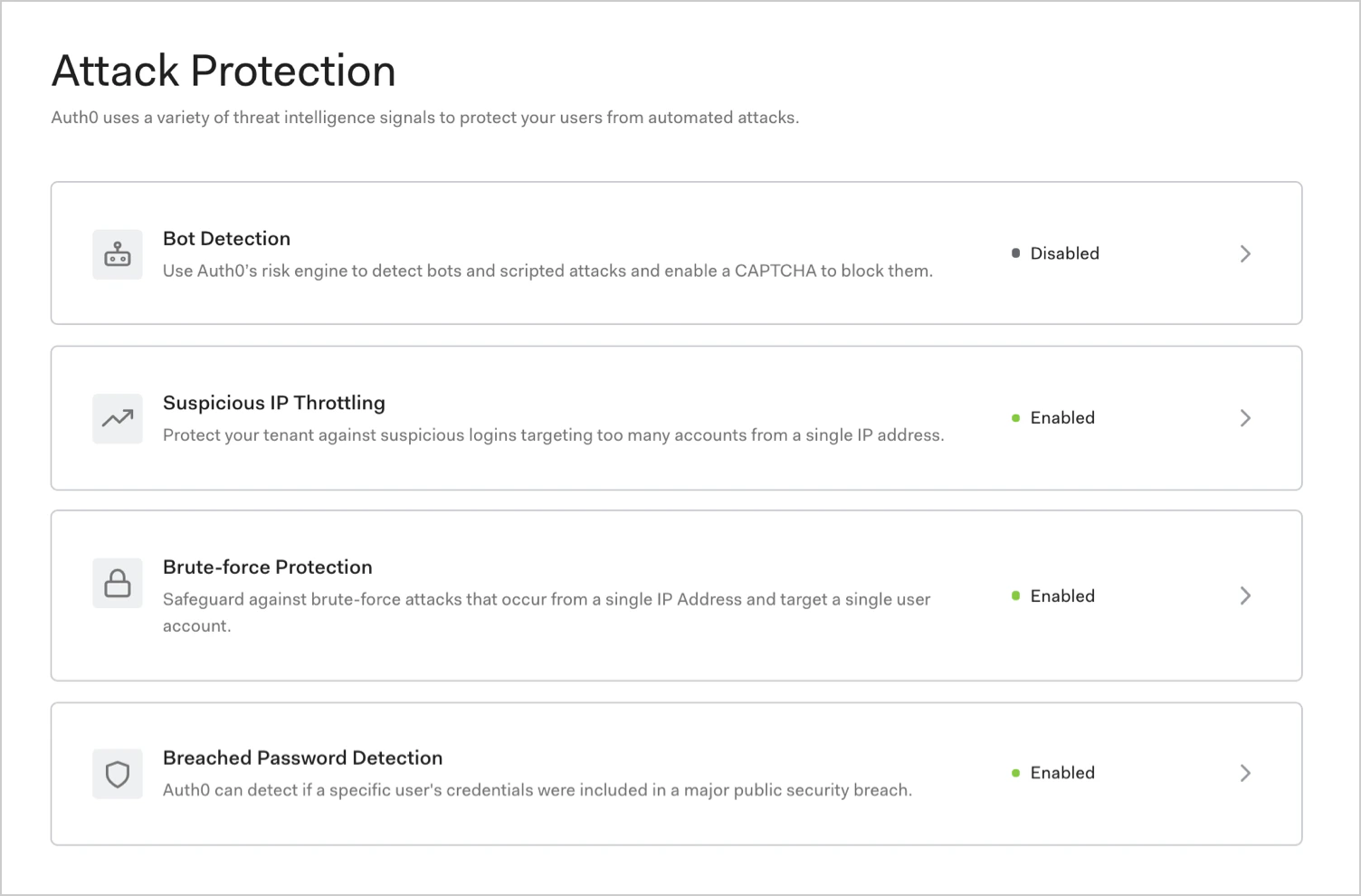
[Auth0 Dashboard](https://manage.auth0.com/#/security/attack-protection) では、攻撃を軽減するために、次の <Tooltip tip="Attack Protection: Auth0 が攻撃を検知して軽減するために提供する機能です。総当たり攻撃対策、不審な IP のスロットリング、漏えいパスワードの検知、ボット検知、アダプティブ多要素認証が含まれます。" cta="用語集を見る" href="/ja/docs/glossary?term=attack+protection">攻撃対策</Tooltip> オプションを有効にできます。

* [ボット検知](/ja/docs/secure/attack-protection/bot-detection)
* [不審な IP のスロットリング](/ja/docs/secure/attack-protection/suspicious-ip-throttling)
* [総当たり攻撃対策](/ja/docs/secure/attack-protection/brute-force-protection)
* [漏えいパスワードの検知](/ja/docs/secure/attack-protection/breached-password-detection)
<Frame>
  <img src="https://mintcdn.com/translations/c0RQ9V0YAcT0-8l5/docs/images/cdy7uua7fh8z/7IxNz72aMoNqIEgGKPZiuv/ee9f7ec600bd2495bf51d0b338939b25/dashboard-attack-protection-list.png?fit=max&auto=format&n=c0RQ9V0YAcT0-8l5&q=85&s=f31f99c5210ae37e2e5bc3177dbfa77a" alt="Dashboard の Security > Attack Protection ページ" data-og-width="1504" width="1504" data-og-height="990" height="990" data-path="docs/images/cdy7uua7fh8z/7IxNz72aMoNqIEgGKPZiuv/ee9f7ec600bd2495bf51d0b338939b25/dashboard-attack-protection-list.png" data-optimize="true" data-opv="3" srcset="https://mintcdn.com/translations/c0RQ9V0YAcT0-8l5/docs/images/cdy7uua7fh8z/7IxNz72aMoNqIEgGKPZiuv/ee9f7ec600bd2495bf51d0b338939b25/dashboard-attack-protection-list.png?w=280&fit=max&auto=format&n=c0RQ9V0YAcT0-8l5&q=85&s=788a88526090167be7171505fa6de165 280w, https://mintcdn.com/translations/c0RQ9V0YAcT0-8l5/docs/images/cdy7uua7fh8z/7IxNz72aMoNqIEgGKPZiuv/ee9f7ec600bd2495bf51d0b338939b25/dashboard-attack-protection-list.png?w=560&fit=max&auto=format&n=c0RQ9V0YAcT0-8l5&q=85&s=7bfe98dc295aaf2577021c09bff877b9 560w, https://mintcdn.com/translations/c0RQ9V0YAcT0-8l5/docs/images/cdy7uua7fh8z/7IxNz72aMoNqIEgGKPZiuv/ee9f7ec600bd2495bf51d0b338939b25/dashboard-attack-protection-list.png?w=840&fit=max&auto=format&n=c0RQ9V0YAcT0-8l5&q=85&s=53d6bc6e668ba98d3a8aa0bc6a9622ea 840w, https://mintcdn.com/translations/c0RQ9V0YAcT0-8l5/docs/images/cdy7uua7fh8z/7IxNz72aMoNqIEgGKPZiuv/ee9f7ec600bd2495bf51d0b338939b25/dashboard-attack-protection-list.png?w=1100&fit=max&auto=format&n=c0RQ9V0YAcT0-8l5&q=85&s=9601f52bf5f66d25f1115a721f172c70 1100w, https://mintcdn.com/translations/c0RQ9V0YAcT0-8l5/docs/images/cdy7uua7fh8z/7IxNz72aMoNqIEgGKPZiuv/ee9f7ec600bd2495bf51d0b338939b25/dashboard-attack-protection-list.png?w=1650&fit=max&auto=format&n=c0RQ9V0YAcT0-8l5&q=85&s=009dbcce386c5d1aca5e82ac4e3af81d 1650w, https://mintcdn.com/translations/c0RQ9V0YAcT0-8l5/docs/images/cdy7uua7fh8z/7IxNz72aMoNqIEgGKPZiuv/ee9f7ec600bd2495bf51d0b338939b25/dashboard-attack-protection-list.png?w=2500&fit=max&auto=format&n=c0RQ9V0YAcT0-8l5&q=85&s=3ddb963d19dce92b513ffbb1b8a0abb6 2500w" />
</Frame>

<div id="how-it-works">
  ## 仕組み
</div>

不正利用対策において、万能な解決策はありません。Auth0 は、さまざまなシグナルを使って攻撃を検知・緩和する、多層防御というセキュリティの考え方を採用しています。

| Feature                | Risk signal                                  | How it works                                    |
| ---------------------- | -------------------------------------------- | ----------------------------------------------- |
| ボット検知                  | 各 IP で観測されるトラフィックの質を分析して算出した **IP レピュテーション** | ボットによる利用が疑われる IP からログイン試行があった場合、CAPTCHA を要求します。 |
| 不審な IP のスロットリング        | テナント内の任意の数のアカウントに対する、ある IP からのログイン試行の**頻度**  | ボットやスクリプトが短時間に多数の ID／パスワードの組み合わせを試している場合を検知します。 |
| Brute-force Protection | 特定のアカウントに対する、ある IP からのログイン試行の**頻度**          | 悪意のある第三者が一定時間内に特定のアカウントへのログインを何度も試みた場合を検知します。   |
| 漏えいパスワードの検知            | ダークウェブ上の漏えいパスワード一覧に含まれる**漏えい済みパスワードの使用**     | 他社サイトなどですでに漏えいが確認されているパスワードを、ユーザーが使用できないようにします。 |

<div id="notification">
  ## 通知
</div>

攻撃が発生した場合、ログイン回数にかかわらず、ユーザーには1時間に1回メールで通知されます。たとえば、ユーザーが1時間30分の間に200回ログインを試みた場合、送信されるメールは2通です。パスワード再設定リンクの有効期間は5日間です。ユーザーに送信する[メールはカスタマイズ](/ja/docs/customize/email/customize-blocked-account-emails)できます。

<Callout icon="file-lines" color="#0EA5E9" iconType="regular">
  ブロックをリセットした後に再度攻撃を受けた場合は、さらにメールが1通送信されます。
</Callout>

攻撃が継続している場合、一度に数千ものIPアドレスからのトラフィックがブロックされることがあります。Auth0 は、攻撃に関与するIPアドレスの数にかかわらず、トラフィックがブロックされている間、各管理者に1時間ごとに1通のメールを送信します。

<div id="monitoring">
  ## 監視
</div>

攻撃対策機能を有効にしても応答設定を構成していない場合は、監視モードになり、関連するイベントはテナントログにのみ記録されます。テナントログには、そのログインがリスクありと判定されたかどうかの情報が含まれるため、応答を構成するかどうかを判断できます。

<div id="reporting">
  ## レポート
</div>

テナントのログデータを使用してレポートを作成し、[攻撃対策イベントを表示](/ja/docs/secure/attack-protection/view-attack-protection-events)することもできます。

<div id="learn-more">
  ## 詳細はこちら
</div>

* [ボット検知](/ja/docs/secure/attack-protection/bot-detection)
* [不審な IP のスロットリング](/ja/docs/secure/attack-protection/suspicious-ip-throttling)
* [ブルートフォース対策](/ja/docs/secure/attack-protection/brute-force-protection)
* [漏えいパスワードの検知](/ja/docs/secure/attack-protection/breached-password-detection)
* [攻撃対策 のログイベントを表示](/ja/docs/secure/attack-protection/view-attack-protection-events)
