> ## Documentation Index
> Fetch the complete documentation index at: https://translations.mintlify.site/llms.txt
> Use this file to discover all available pages before exploring further.
# 一般的なテナント ACL のユースケースのコードサンプル
> Management API リクエスト、Auth0 SDK と CLI、Auth0 Terraform プロバイダーのコードサンプルを使って、テナント ACL の一般的なユースケースを実装できます。
## リクエストをブロックする
この Tenant ACL ルールの例では、特定の地理的位置の国コードからの受信トラフィックをブロックします。
Management API を使用してこの Tenant ACL ルールを作成するには、次の手順を実行します。
1. `create:network_acls` スコープを持つ [Management API のアクセストークンを取得](/ja/docs/secure/tokens/access-tokens/management-api-access-tokens/get-management-api-access-tokens-for-production) します。
2. 次のリクエストボディを使用して、Management API の [アクセス制御リスト作成エンドポイント](https://auth0.com/docs/api/management/v2/network-acls/post-network-acls) を呼び出します。
```json expandable theme={null}
{
"description": "Example of blocking a request",
"active": true,
"priority": 2,
"rule": {
"action": {
"block": true
},
"match": {
"geo_country_codes": [
"{geoCountryCode}"
]
},
"scope": "authentication"
}
}{
"description": "Example of blocking a request",
"active": true,
"priority": 2,
"rule": {
"action": {
"block": true
},
"match": {
"geo_country_codes": [
"{geoCountryCode}"
]
},
"scope": "authentication"
}
}
```
```go expandable theme={null}
package main
import (
"context"
"log"
"github.com/auth0/go-auth0"
"github.com/auth0/go-auth0/management"
)
func main() {
mgmt, err := management.New("{yourDomain}", management.WithClientCredentials("{yourClientId}", "{yourClientSecret}"))
if err != nil {
log.Fatal(err)
}
networkACL := &management.NetworkACL{
Description: auth0.String("Example of blocking a request"),
Active: auth0.Bool(true),
Priority: auth0.Int(2),
Rule: &management.NetworkACLRule{
Action: &management.NetworkACLRuleAction{
Block: auth0.Bool(true),
},
Match: &management.NetworkACLRuleMatch{
GeoCountryCodes: &[]string{"{geoCountryCode}"},
},
Scope: auth0.String("authentication"),
},
}
err = mgmt.NetworkACL.Create(context.Background(), networkACL)
if err != nil {
log.Fatal(err)
}
log.Println("Network ACL has been created")
}
```
```js theme={null}
const createNetworkAclPayload: Management.CreateNetworkAclRequestContent = {
description: "Example of blocking a request",
active: true,
priority: 2,
rule: {
action: {
block: true,
},
match: {
geo_country_codes: ["{geoCountryCode}"],
},
scope: "authentication",
},
};
const createNetworkAcl = await client.networkAcls.create(createNetworkAclPayload);
```
```terraform theme={null}
resource "auth0_network_acl" "example_blocking_request_acl" {
description = "Example of blocking a request"
active = true
priority = 2
rule {
action {
block = true
}
match {
geo_country_codes = ["{geoCountryCode}"]
}
scope = "authentication"
}
}
```
```yaml theme={null}
networkACLs:
- description: Example of blocking a request
active: true
priority: 2
rule:
action:
block: true
match:
geo_country_codes:
- {geoCountryCode}
scope: authentication
```
```bash wrap theme={null}
auth0 network-acl create \
--description "Example of blocking a request" \
--active true \
--priority 2 \
--rule '{"action":{"block":true},"match":{"geo_country_codes":["{geoCountryCode}"]},"scope":"authentication"}'
```
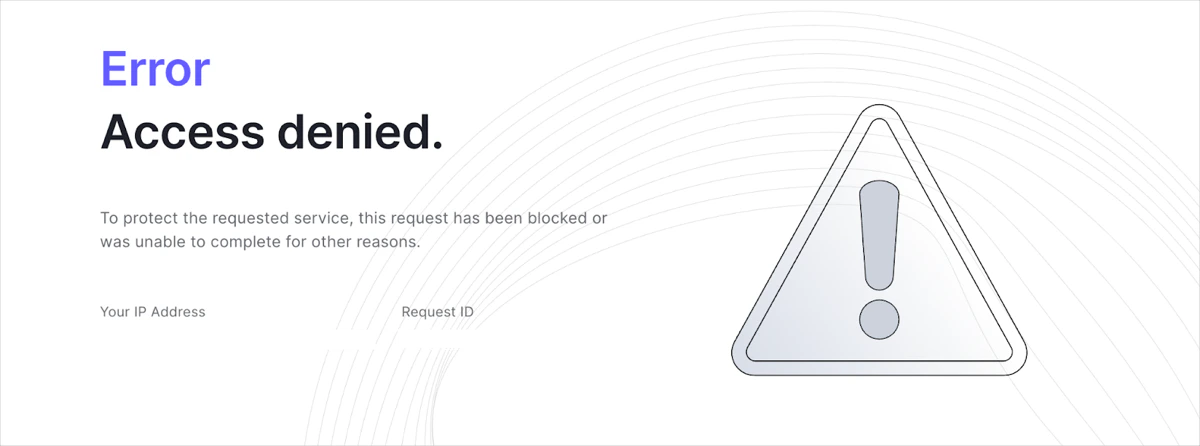
以下はブロックページの例です。
## リクエストを許可する
この Tenant ACL ルールの例では、特定の地理的位置の国コードからのトラフィックのみを許可します。
Management API を使用してこの Tenant ACL ルールを作成するには、次の手順を実行します。
1. `create:network_acls` スコープを持つ [Management API アクセストークンを取得します](/ja/docs/secure/tokens/access-tokens/management-api-access-tokens/get-management-api-access-tokens-for-production)。
2. 次のリクエストボディを指定して、Management API の [アクセス制御リスト作成エンドポイント](https://auth0.com/docs/api/management/v2/network-acls/post-network-acls) を呼び出します。
```json theme={null}
{
"description": "Example of allowing a request",
"active": true,
"priority": 2,
"rule": {
"action": {
"allow": true
},
"match": {
"geo_country_codes": [
"{geoCountryCode}"
]
},
"scope": "authentication"
}
}
```
```go expandable theme={null}
package main
import (
"context"
"log"
"github.com/auth0/go-auth0"
"github.com/auth0/go-auth0/management"
)
func main() {
mgmt, err := management.New("{yourDomain}", management.WithClientCredentials("{yourClientId}", "{yourClientSecret}"))
if err != nil {
log.Fatal(err)
}
networkACL := &management.NetworkACL{
Description: auth0.String("Example of allowing a request"),
Active: auth0.Bool(true),
Priority: auth0.Int(2),
Rule: &management.NetworkACLRule{
Action: &management.NetworkACLRuleAction{
Allow: auth0.Bool(true),
},
Match: &management.NetworkACLRuleMatch{
GeoCountryCodes: &[]string{"{geoCountryCode}"},
},
Scope: auth0.String("authentication"),
},
}
err = mgmt.NetworkACL.Create(context.Background(), networkACL)
if err != nil {
log.Fatal(err)
}
log.Println("Network ACL has been created")
}
```
```js theme={null}
const createNetworkAclPayload: Management.CreateNetworkAclRequestContent = {
description: "Example of allowing a request",
active: true,
priority: 2,
rule: {
action: {
allow: true,
},
match: {
geo_country_codes: ["{geoCountryCode}"],
},
scope: "authentication",
},
};
const createNetworkAcl = await client.networkAcls.create(createNetworkAclPayload);
```
```terraform theme={null}
resource "auth0_network_acl" "example_allowing_request_acl" {
description = "Example of allowing a request"
active = true
priority = 2
rule {
action {
allow = true
}
match {
geo_country_codes = ["{geoCountryCode}"]
}
scope = "authentication"
}
}
```
```yaml theme={null}
networkACLs:
- description: Example of allowing a request
active: true
priority: 2
rule:
action:
allow: true
match:
geo_country_codes:
- {geoCountryCode}
scope: authentication
```
```bash wrap theme={null}
auth0 network-acl create \
--description "Example of allowing a request" \
--active true \
--priority 2 \
--rule '{"action":{"allow":true},"match":{"geo_country_codes":["{geoCountryCode}"]},"scope":"authentication"}'
```
## リクエストをリダイレクトする
この Tenant ACL ルール の例では、地理位置情報に基づく特定の国コードからのすべてのトラフィックをリダイレクトします。
Management API を使用してこの Tenant ACL ルール を作成するには、次の手順に従います。
1. `create:network_acls` スコープを持つ [Management API アクセストークンを取得](/ja/docs/secure/tokens/access-tokens/management-api-access-tokens/get-management-api-access-tokens-for-production) します。
2. 次のリクエスト本文を指定して、Management API の[アクセス制御リスト作成エンドポイント](https://auth0.com/docs/api/management/v2/network-acls/post-network-acls)を呼び出します。
```json theme={null}
{
"description": "Example of redirecting a request",
"active": true,
"priority": 2,
"rule": {
"action": {
"redirect": true,
"redirect_uri": "REDIRECT_URI"
},
"match": {
"geo_country_codes": [
"{geoCountryCode}"
]
},
"scope": "authentication"
}
}
```
```go expandable theme={null}
package main
import (
"context"
"log"
"github.com/auth0/go-auth0"
"github.com/auth0/go-auth0/management"
)
func main() {
mgmt, err := management.New("{yourDomain}", management.WithClientCredentials("{yourClientId}", "{yourClientSecret}"))
if err != nil {
log.Fatal(err)
}
networkACL := &management.NetworkACL{
Description: auth0.String("Example of redirecting a request"),
Active: auth0.Bool(true),
Priority: auth0.Int(2),
Rule: &management.NetworkACLRule{
Action: &management.NetworkACLRuleAction{
Redirect: auth0.Bool(true),
RedirectURI: auth0.String("REDIRECT_URI"),
},
Match: &management.NetworkACLRuleMatch{
GeoCountryCodes: &[]string{"{geoCountryCode}"},
},
Scope: auth0.String("authentication"),
},
}
err = mgmt.NetworkACL.Create(context.Background(), networkACL)
if err != nil {
log.Fatal(err)
}
log.Println("Network ACL has been created")
}
```
```js theme={null}
const createNetworkAclPayload: Management.CreateNetworkAclRequestContent = {
description: "Example of a complex comparison",
active: true,
priority: 1,
rule: {
action: {
block: true,
},
match: {
geo_country_codes: ["{geoCountryCode}"],
},
not_match: {
geo_subdivision_codes: ["{geoSubdivisionCode}"],
},
scope: "authentication",
},
};
const createNetworkAcl = await client.networkAcls.create(createNetworkAclPayload);
```
```terraform theme={null}
resource "auth0_network_acl" "example_complex_comparison_acl" {
description = "Example of a complex comparison"
active = true
priority = 1
rule {
action {
block = true
}
match {
geo_country_codes = ["{geoCountryCode}"]
}
not_match {
geo_subdivision_codes = ["{geoSubdivisionCode}"]
}
scope = "authentication"
}
}
```
```yaml theme={null}
networkACLs:
- description: Example of a complex comparison
active: true
priority: 1
rule:
action:
block: true
match:
geo_country_codes:
- {geoCountryCode}
not_match:
geo_subdivision_codes:
- {geoSubdivisionCode}
scope: authentication
```
```bash wrap theme={null}
auth0 network-acl create \
--description "Example of a complex comparison"
--active true \
--priority 1 \
--rule '{"action":{"block":true},"match":{"geo_country_codes":["{geoCountryCode}"]},"not_match":{"geo_subdivision_codes":["{geoSubdivisionCode}"]},"scope":"authentication"}'
```
## 複雑な比較
`match` 演算子と `not_match` 演算子は、1 つの Tenant ACL ルール内で組み合わせて使用でき、きめ細かなアクセス制御ポリシーを適用できます。
この Tenant ACL ルールの例では、`geo_country_code` シグナルと `geo_subdivision_code` シグナルを評価し、特定の国からのすべてのトラフィックをブロックします。ただし、その国の特定の州、地域、または省からのトラフィックは許可します。
Management API でこの Tenant ACL ルールを作成するには、次の手順を実行します。
1. `create:network_acls` スコープを持つ [Management API アクセストークンを取得](/ja/docs/secure/tokens/access-tokens/management-api-access-tokens/get-management-api-access-tokens-for-production) します。
2. 次のボディを指定して、Management API の[アクセス制御リスト作成エンドポイント](https://auth0.com/docs/api/management/v2/network-acls/post-network-acls)を呼び出します。
```json theme={null}
{
"description": "Example of a complex comparison",
"active": true,
"priority": 1,
"rule": {
"action": {
"block": true
},
"match": {
"geo_country_codes": [
"{geoCountryCode}"
]
},
"not_match": {
"geo_subdivision_codes": [
"{geoSubdivisionCode}"
]
},
"scope": "authentication"
}
}
```
```go expandable theme={null}
package main
import (
"context"
"log"
"github.com/auth0/go-auth0"
"github.com/auth0/go-auth0/management"
)
func main() {
mgmt, err := management.New("{yourDomain}", management.WithClientCredentials("{yourClientId}", "{yourClientSecret}"))
if err != nil {
log.Fatal(err)
}
networkACL := &management.NetworkACL{
Description: auth0.String("Example of a complex comparison"),
Active: auth0.Bool(true),
Priority: auth0.Int(1),
Rule: &management.NetworkACLRule{
Action: &management.NetworkACLRuleAction{
Block: auth0.Bool(true),
},
Match: &management.NetworkACLRuleMatch{
GeoCountryCodes: &[]string{"{geoCountryCode}"},
},
NotMatch: &management.NetworkACLRuleMatch{
GeoSubdivisionCodes: &[]string{"{geoSubdivisionCode}"},
},
Scope: auth0.String("authentication"),
},
}
err = mgmt.NetworkACL.Create(context.Background(), networkACL)
if err != nil {
log.Fatal(err)
}
log.Println("Network ACL has been created")
}
```
```js theme={null}
const createNetworkAclPayload: Management.CreateNetworkAclRequestContent = {
description: "Example of a complex comparison",
active: true,
priority: 1,
rule: {
action: {
block: true,
},
match: {
geo_country_codes: ["{geoCountryCode}"],
},
not_match: {
geo_subdivision_codes: ["{geoSubdivisionCode}"],
},
scope: "authentication",
},
};
const createNetworkAcl = await client.networkAcls.create(createNetworkAclPayload);
```
```terraform theme={null}
resource "auth0_network_acl" "example_complex_comparison_acl" {
description = "Example of a complex comparison"
active = true
priority = 1
rule {
action {
block = true
}
match {
geo_country_codes = ["{geoCountryCode}"]
}
not_match {
geo_subdivision_codes = ["{geoSubdivisionCode}"]
}
scope = "authentication"
}
}
```
```yaml theme={null}
networkACLs:
- description: Example of a complex comparison
active: true
priority: 1
rule:
action:
block: true
match:
geo_country_codes:
- {geoCountryCode}
not_match:
geo_subdivision_codes:
- {geoSubdivisionCode}
scope: authentication
```
```bash wrap theme={null}
auth0 network-acl create \
--description "Example of a complex comparison" \
--active true \
--priority 1 \
--rule '{"action":{"block":true},"match":{"geo_country_codes":["{geoCountryCode}"]},"not_match":{"geo_subdivision_codes":["{geoSubdivisionCode}"]},"scope":"authentication"}'
```
## 特定のインフラストラクチャ経由にトラフィックを制限する
`hostnames` シグナルと `connecting_ipv4_cidrs` シグナルを組み合わせることで、リバースプロキシや VPN など、承認済みのインフラストラクチャ経由にのみ、テナントへのリクエストをルーティングできます。
この Tenant ACL ルールの例では、Auth0 エッジに直接接続する特定の IP アドレス群からのリクエストでない限り、正規ドメインおよびカスタムドメインへのアクセスをブロックします。これにより、ユーザーが公開インターネットからテナントのホスト名に直接アクセスしてセキュリティ制御を回避することを防げます。
Management API を使用してこの Tenant ACL ルールを作成するには、次の手順に従います。
1. `create:network_acls` スコープを持つ [Management API アクセストークンを取得](/ja/docs/secure/tokens/access-tokens/management-api-access-tokens/get-management-api-access-tokens-for-production) します。
2. 次のリクエストボディを指定して、Management API の [アクセス制御リスト作成エンドポイント](https://auth0.com/docs/api/management/v2/network-acls/post-network-acls) を呼び出します。
```json theme={null}
{
"description": "Restrict access to specific proxy IPs for custom and canonical domains",
"active": true,
"priority": 10,
"rule": {
"action": {
"block": true
},
"match": {
"hostnames": ["auth.example.com", "my-tenant.us.auth0.com"]
},
"not_match": {
"connecting_ipv4_cidrs": [
"192.0.2.0/24",
"203.0.113.5/32"
]
},
"scope": "tenant"
}
}
```