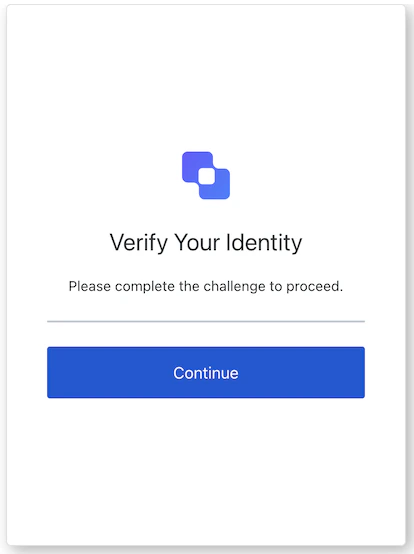
interstitial-captcha 画面は、認証フロー中にキャプチャ チャレンジが必要な場合に表示されます。先に進むには、ユーザーがキャプチャを完了する必要があります。
各画面には、それぞれ専用のフックとメソッドが用意されています。SDK は、各画面で 部分インポート と ルートインポート をサポートしています。
- 部分インポートを使用すると、特定のユースケースに必要なコードだけを取り込めます。
- ルートインポートを使用すると、単一のバンドルからすべての画面を読み込めるため、想定されるすべての画面を 1 つのビルドでまとめて処理したい場合に便利です。
// ルートインポート
import { useInterstitialCaptcha } from '@auth0/auth0-acul-react';
// 部分インポート
import {
useInterstitialCaptcha,
// コンテキストフック
useUser,
useTenant,
useBranding,
useClient,
useOrganization,
usePrompt,
useScreen,
useTransaction,
useUntrustedData,
// 共通フック
useCurrentScreen,
useAuth0Themes,
useErrors,
// ユーティリティフック
useChangeLanguage,
// メソッド
submitCaptcha,
} from '@auth0/auth0-acul-react/interstitial-captcha';
function InterstitialCaptchaScreen() {
const { submitCaptcha } = useInterstitialCaptcha();
return (
<button onClick={() => submitCaptcha({ captcha: 'token' })}>Submit</button>
);
}
interstitial-captcha 画面で Auth0 のコンテキストデータへの読み取り専用アクセスを提供する、画面スコープのフックです。@auth0/auth0-acul-react/interstitial-captcha からインポートします。
このフックは、interstitial-captcha 画面に表示されるロゴ、色、テーマ設定などのブランディング構成を提供します。import { useBranding } from '@auth0/auth0-acul-react/interstitial-captcha';
function CustomTheme() {
const branding = useBranding();
}
このフックは、interstitial-captcha 画面の id、name、logoUrl など、クライアント関連の構成を提供します。import { useClient } from '@auth0/auth0-acul-react/interstitial-captcha';
function AppInfo() {
const client = useClient();
}
このフックは、キャプチャ チャレンジが組織スコープの場合に、ユーザーの組織に関する情報を提供します。組織のコンテキストが存在しない場合は null を返します。import { useOrganization } from '@auth0/auth0-acul-react/interstitial-captcha';
function OrgSelector() {
const organization = useOrganization();
if (!organization) {
return <p>組織コンテキストがありません</p>;
}
}
このフックには、認証フロー内の現在のプロンプトに関するデータが含まれます。import { usePrompt } from '@auth0/auth0-acul-react/interstitial-captcha';
function FlowInfo() {
const prompt = usePrompt();
}
このフックには、設定やコンテキストなど、interstitial-captcha 画面固有の詳細が含まれます。import { useScreen } from '@auth0/auth0-acul-react/interstitial-captcha';
function ScreenDebug() {
const screen = useScreen();
}
このフックには、id や関連するメタデータなど、テナントに関するデータが含まれます。import { useTenant } from '@auth0/auth0-acul-react/interstitial-captcha';
function TenantInfo() {
const tenant = useTenant();
}
このフックは、アクティブな接続や現在のフロー状態など、interstitial-captcha 画面のトランザクション固有のデータを提供します。import { useTransaction } from '@auth0/auth0-acul-react/interstitial-captcha';
function TransactionInfo() {
const transaction = useTransaction();
}
このフックは、URL クエリ文字列から事前入力されたパラメーターなど、画面に渡される信頼できないデータを扱います。import { useUntrustedData } from '@auth0/auth0-acul-react/interstitial-captcha';
function PrefilledForm() {
const untrustedData = useUntrustedData();
}
このフックは、username、email、利用可能な認証方法など、現在アクティブなユーザーの詳細を提供します。import { useUser } from '@auth0/auth0-acul-react/interstitial-captcha';
function UserProfile() {
const user = useUser();
}
このフックは、interstitial-captcha 画面で利用可能なすべてのメソッドとコンテキストを返します。
このメソッドは、キャプチャ トークンを送信してチャレンジを完了し、認証フローを続行します。import { useInterstitialCaptcha } from '@auth0/auth0-acul-react/interstitial-captcha';
function SubmitButton() {
const { submitCaptcha } = useInterstitialCaptcha();
return (
<button onClick={() => submitCaptcha({ captcha: 'token' })}>
Continue
</button>
);
}
このフックは、ブランディングコンテキストから、フラット化された設定を含む現在のテーマオプションを取得します。
このフックは、現在の ACUL 画面の表示言語を変更するための関数を返します。
このフックは、現在の画面のコンテキストと状態を取得します。
このフックは、画面上のサーバー、クライアント、開発者のエラーを参照および管理します。


 認証
認証 ユーザー管理
 カスタマイズ
 Auth0 AI
 プラットフォーム