Documentation Index
Fetch the complete documentation index at: https://translations.mintlify.app/llms.txt
Use this file to discover all available pages before exploring further.
다음 예제에서는 추적, 평가 및 비교를 위해 Weave와 함께 W&B Inference를 사용하는 방법을 보여줍니다.
기본 예시: Weave로 Llama 3.1 8B 트레이싱하기
@weave.op() 데코레이터가 적용된 함수를 정의하고, 이 함수가 chat completion 요청을 보냅니다.- 트레이스는 W&B 엔터티와 프로젝트에 기록되고 연결됩니다.
- 함수는 자동으로 트레이싱되며, 입력, 출력, 지연 시간, 메타데이터를 로깅합니다.
- 결과는 터미널에 출력되고, 트레이스는 https://wandb.ai의 Traces 탭에 표시됩니다.
이 예시를 실행하기 전에 사전 준비를 완료하세요.
import weave
import openai

# 추적을 위한 Weave 팀 및 프로젝트 설정
weave.init("<your-team>/<your-project>")

client = openai.OpenAI(
    base_url='https://api.inference.wandb.ai/v1',

    # https://wandb.ai/settings 에서 API key 생성
    api_key="<your-api-key>",

    # 선택 사항: 사용량 추적을 위한 팀 및 프로젝트
    project="wandb/inference-demo",
)

# Weave에서 모델 호출 추적
@weave.op()
def run_chat():
    response = client.chat.completions.create(
        model="meta-llama/Llama-3.1-8B-Instruct",
        messages=[
            {"role": "system", "content": "You are a helpful assistant."},
            {"role": "user", "content": "Tell me a joke."}
        ],
    )
    return response.choices[0].message.content

# 추적된 호출 실행 및 로깅
output = run_chat()
print(output)
- 터미널에 출력된 링크를 클릭합니다(예:
https://wandb.ai/<your-team>/<your-project>/r/call/01977f8f-839d-7dda-b0c2-27292ef0e04g)
- 또는 https://wandb.ai에 접속한 후 Traces 탭을 선택합니다
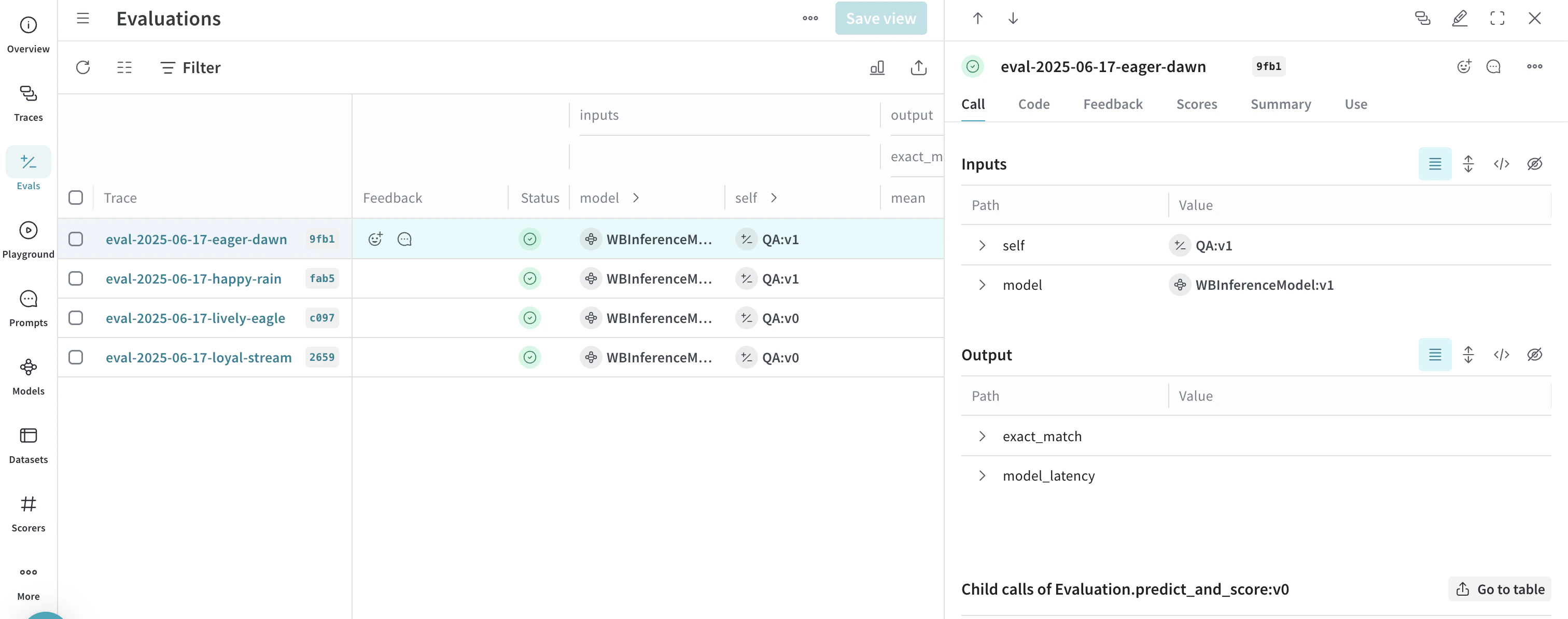
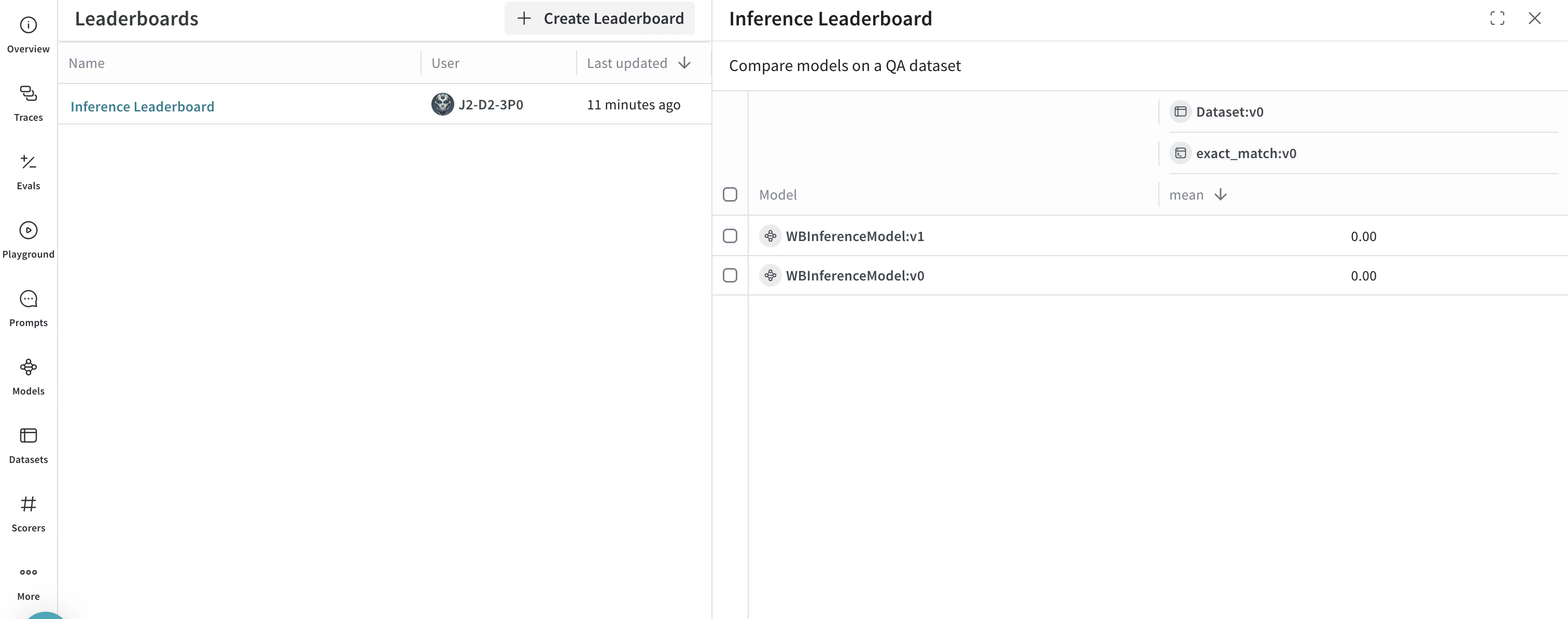
고급 예제: Weave Evaluations 및 Leaderboards 사용하기
import os
import asyncio
import openai
import weave
from weave.flow import leaderboard
from weave.trace.ref_util import get_ref

# 추적을 위한 Weave 팀 및 프로젝트 설정
weave.init("<your-team>/<your-project>")

dataset = [
    {"input": "What is 2 + 2?", "target": "4"},
    {"input": "Name a primary color.", "target": "red"},
]

@weave.op
def exact_match(target: str, output: str) -> float:
    return float(target.strip().lower() == output.strip().lower())

class WBInferenceModel(weave.Model):
    model: str

    @weave.op
    def predict(self, prompt: str) -> str:
        client = openai.OpenAI(
            base_url="https://api.inference.wandb.ai/v1",
            # https://wandb.ai/settings 에서 API key 생성
            api_key="<your-api-key>",
            # 선택 사항: 사용량 추적을 위한 팀 및 프로젝트
            project="<your-team>/<your-project>",
        )
        resp = client.chat.completions.create(
            model=self.model,
            messages=[{"role": "user", "content": prompt}],
        )
        return resp.choices[0].message.content

llama = WBInferenceModel(model="meta-llama/Llama-3.1-8B-Instruct")
deepseek = WBInferenceModel(model="deepseek-ai/DeepSeek-V3-0324")

def preprocess_model_input(example):
    return {"prompt": example["input"]}

evaluation = weave.Evaluation(
    name="QA",
    dataset=dataset,
    scorers=[exact_match],
    preprocess_model_input=preprocess_model_input,
)

async def run_eval():
    await evaluation.evaluate(llama)
    await evaluation.evaluate(deepseek)

asyncio.run(run_eval())

spec = leaderboard.Leaderboard(
    name="Inference Leaderboard",
    description="Compare models on a QA dataset",
    columns=[
        leaderboard.LeaderboardColumn(
            evaluation_object_ref=get_ref(evaluation).uri(),
            scorer_name="exact_match",
            summary_metric_path="mean",
        )
    ],
)

weave.publish(spec)
- 사용 가능한 모든 메서드는 API 참조에서 확인하세요
- UI에서 모델을 직접 사용해 보세요


 플랫폼
플랫폼 W&B Models
 W&B Weave
 W&B Inference
 W&B 교육
 릴리스 노트