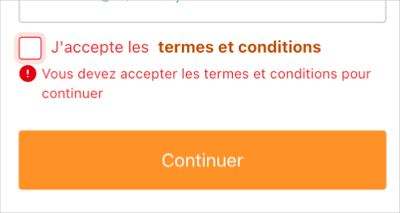
コンテキストデータに応じて、Sign-Up Prompt Customizations を異なる形でレンダリングできます。locale 変数を使用して、フォーム入力を条件付きでレンダリングし、バリデーションの動作を定義します。
次のユースケースでは、locale 変数を使用して利用規約のメッセージとチェックボックスをレンダリングします。Page Templates に公開されている任意の変数に置き換えることができます。
- テナントでカスタムドメインが検証済みである
- テナントでページテンプレートが設定されている
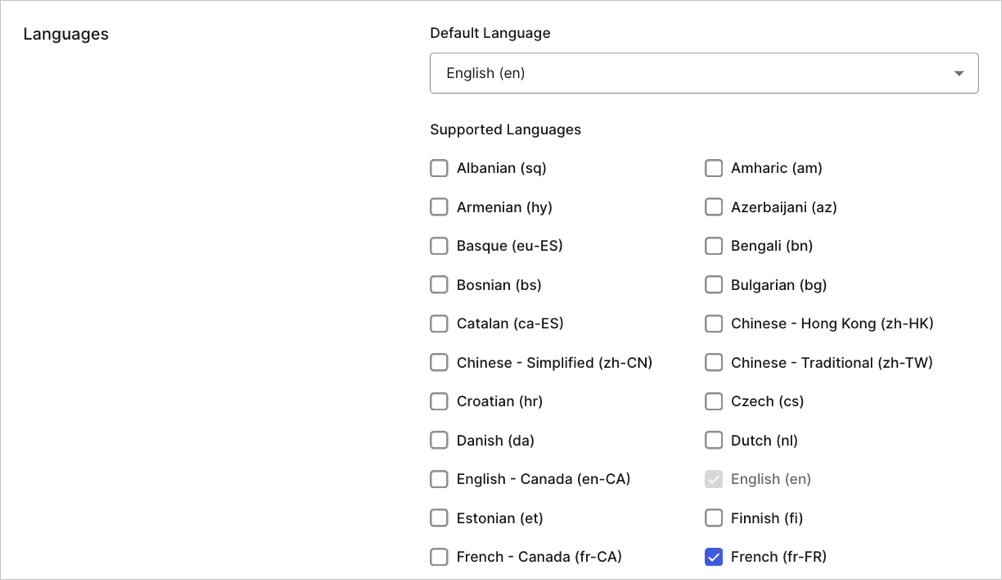
を開き、[Settings] > [General] に移動して、次のロケールを有効にします。
条件に応じて Custom Fields を表示する
form-content-end サインアッププロンプトの プロンプトコンテナにテンプレートパーシャルを追加します。ロケールが es または fr の場合は、利用規約に関するメッセージとチェックボックスを表示するとよいでしょう。
{% if locale == 'fr' %}
<div class="ulp-field">
<input
type="checkbox"
name="ulp-terms-of-service"
id="terms-of-service">
<label for="terms-of-service">
J'accepte les
<a href="https://fr.example.com/tos">termes et conditions</a>
</label>
</div>
{% endif %}
{% if locale == 'es' %}
<div class="ulp-field">
<input
type="checkbox"
name="ulp-terms-of-service"
id="terms-of-service">
<label for="terms-of-service">
Estoy de acuerdo con los
<a href="https://es.example.com/tos">términos y condiciones</a>
</label>
</div>
{% endif %}
// PUT prompts/signup/partials
{
"signup": {
"form-content-end": "{% if locale..."
}
}
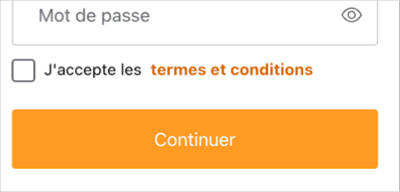
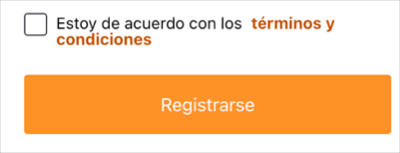
fr または es に設定されている場合にのみ、ToS メッセージとチェックボックスが表示されます。
出力をテストするには、Manage Dashboard に移動し、Branding > Universal Login > Customization Options に移動します。次に、Try button を右クリックしてリンク先アドレスをコピーします。コピーした URL に次のクエリパラメーターを追加し、新しい URL に移動します: &screen_hint=signup&ui_locales=fr (または es) 。
ロケールが fr, の場合は、続行する前にチェックボックスがオンになっていることを確認できます。次のバリデーションコードを使用して、テンプレートパーシャルを更新します。
{% if locale == 'fr' %}
<div class="ulp-field">
<input
type="checkbox"
name="ulp-terms-of-service"
id="terms-of-service">
<label for="terms-of-service">
J'accepte les
<a href="https://fr.example.com/tos">termes et conditions</a>
</label>
<!-- 新規 -->
<div
class="ulp-error-info"
data-ulp-validation-function="requiredFunction"
data-ulp-validation-event-listeners="change">
Vous devez accepter les termes et conditions pour continuer
</div>
<!-- 新規ここまで -->
</div>
{% endif %}
{% if locale == 'es' %}
<div class="ulp-field">
<input
type="checkbox"
name="ulp-terms-of-service"
id="terms-of-service">
<label for="terms-of-service">
Estoy de acuerdo con los
<a href="https://es.example.com/tos">términos y condiciones</a>
</label>
</div>
{% endif %}
<!-- 新規 -->
<script>
function requiredFunction(element, formSubmitted) {
if (! formSubmitted) {
return true;
}
return element.checked;
}
</script>
<!-- 新規ここまで -->
fr ロケールのユーザーのみです。
このユースケースのバリデーションはクライアント側で行われ、ユーザーの利便性を高めることを目的としています。ただし、これらが必ず実行されるとは限りません。たとえば、ユーザーのブラウザーで JavaScript が無効になっている場合があります。また、バリデーションは興味本位または悪意のある第三者によって改変される可能性もあります。バリデーションロジックの完全性を確保するには、クライアント側のバリデーションをサーバー側のバリデーションと組み合わせる必要があります。


 認証
認証 ユーザー管理
 カスタマイズ
 Auth0 AI
 プラットフォーム