Documentation Index
Fetch the complete documentation index at: https://translations.mintlify.app/llms.txt
Use this file to discover all available pages before exploring further.
 Instructor는 LLM에서 JSON과 같은 구조화된 데이터를 쉽게 얻을 수 있게 해 주는 경량 라이브러리입니다.
언어 모델 애플리케이션의 트레이스를 개발 단계와 프로덕션 환경 모두에서 중앙 위치에 저장하는 것은 중요합니다. 이러한 트레이스는 디버깅에 유용할 뿐만 아니라, 애플리케이션을 개선하는 데 도움이 되는 데이터셋으로도 활용할 수 있습니다.
Weave는 Instructor에서 생성된 트레이스를 자동으로 캡처합니다. 추적을 시작하려면
Instructor는 LLM에서 JSON과 같은 구조화된 데이터를 쉽게 얻을 수 있게 해 주는 경량 라이브러리입니다.
언어 모델 애플리케이션의 트레이스를 개발 단계와 프로덕션 환경 모두에서 중앙 위치에 저장하는 것은 중요합니다. 이러한 트레이스는 디버깅에 유용할 뿐만 아니라, 애플리케이션을 개선하는 데 도움이 되는 데이터셋으로도 활용할 수 있습니다.
Weave는 Instructor에서 생성된 트레이스를 자동으로 캡처합니다. 추적을 시작하려면 weave.init(project_name="<YOUR-WANDB-PROJECT-NAME>")를 호출한 뒤, 평소처럼 라이브러리를 사용하면 됩니다.
import instructor
import weave
from pydantic import BaseModel
from openai import OpenAI


# 원하는 출력 구조 정의
class UserInfo(BaseModel):
    user_name: str
    age: int

# Weave 초기화
weave.init(project_name="instructor-test")

# OpenAI 클라이언트 패치
client = instructor.from_openai(OpenAI())

# 자연어에서 구조화된 데이터 추출
user_info = client.chat.completions.create(
    model="gpt-3.5-turbo",
    response_model=UserInfo,
    messages=[{"role": "user", "content": "John Doe is 30 years old."}],
)
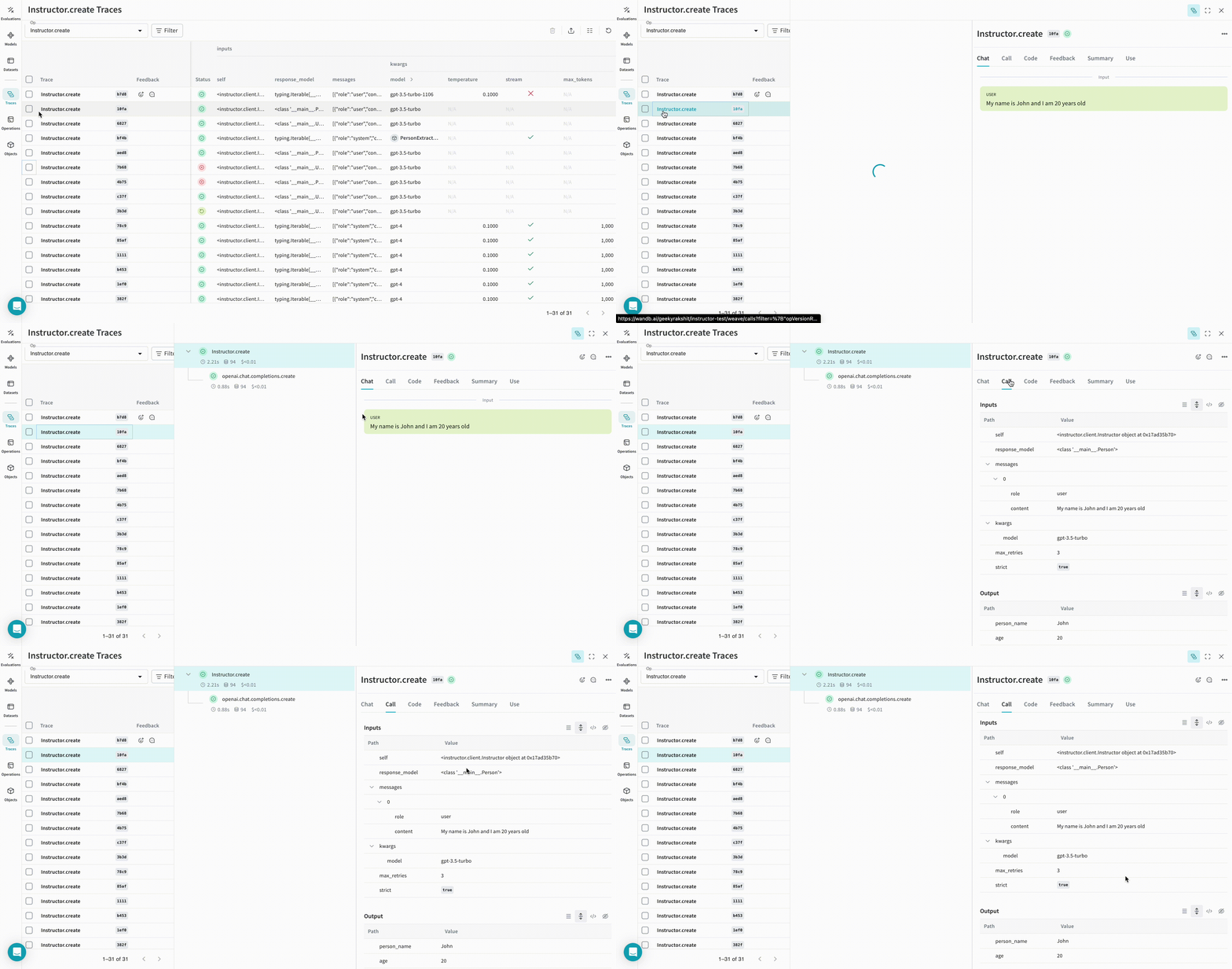 |
|---|
| 이제 Weave는 Instructor를 사용해 이루어지는 모든 LLM 호출을 추적하고 로그로 남깁니다. Weave 웹 인터페이스에서 이러한 트레이스를 확인할 수 있습니다. |
@weave.op으로 감싸면 입력, 출력, 그리고 애플리케이션 로직을 캡처하기 시작하므로 데이터가 앱을 통해 어떻게 흐르는지 디버깅할 수 있습니다. op를 깊게 중첩해 추적하고 싶은 함수들로 이루어진 트리를 만들 수 있습니다. 또한 실험을 진행하면서 아직 git에 커밋되지 않은 즉석 변경 사항까지 캡처할 수 있도록 코드를 자동으로 버전 관리하기 시작합니다.
@weave.op 데코레이터를 적용한 함수를 하나 만들기만 하면 됩니다.
아래 예시에서는 extract_person이라는 함수가 있으며, 이 함수는 @weave.op으로 감싼 메트릭 함수입니다. 이를 통해 OpenAI chat completion 호출과 같은 중간 단계가 어떻게 수행되는지 확인할 수 있습니다.
import instructor
import weave
from openai import OpenAI
from pydantic import BaseModel


# 원하는 출력 구조 정의
class Person(BaseModel):
    person_name: str
    age: int


# Weave 초기화
weave.init(project_name="instructor-test")

# OpenAI 클라이언트 패치
lm_client = instructor.from_openai(OpenAI())


# 자연어에서 구조화된 데이터 추출
@weave.op()
def extract_person(text: str) -> Person:
    return lm_client.chat.completions.create(
        model="gpt-3.5-turbo",
        messages=[
            {"role": "user", "content": text},
        ],
        response_model=Person,
    )


person = extract_person("My name is John and I am 20 years old")
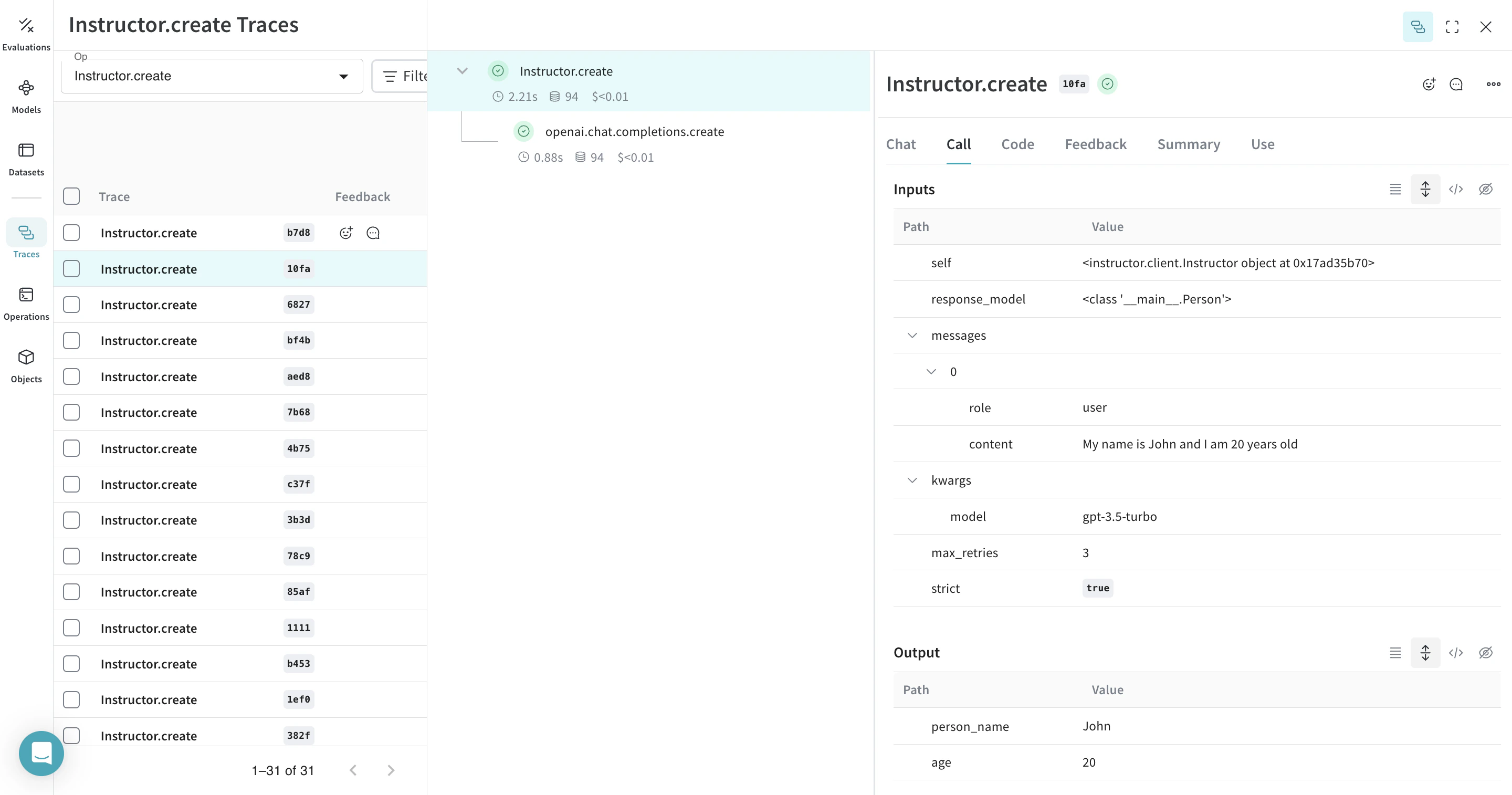 |
|---|
extract_person 함수에 @weave.op 데코레이터를 적용하면 함수의 입력, 출력, 그리고 함수 내부에서 이루어지는 모든 LM 호출이 추적됩니다. Weave는 또한 Instructor가 생성한 구조화된 객체들을 자동으로 추적하고 버전을 관리합니다. |
Model 클래스를 사용하면 시스템 프롬프트나 사용 중인 모델처럼 앱의 실험 관련 세부 정보를 캡처하고 정리할 수 있습니다. 이를 통해 앱의 다양한 반복 버전을 체계적으로 정리하고 비교할 수 있습니다.
코드 버전 관리와 입력/출력 캡처뿐 아니라, Model은 애플리케이션 동작을 제어하는 구조화된 파라미터도 함께 캡처하므로 어떤 파라미터가 가장 잘 작동했는지 쉽게 찾을 수 있습니다. 또한 Weave 모델을 serve(아래 참조) 및 Evaluation과 함께 사용할 수도 있습니다.
아래 예제에서는 PersonExtractor로 실험할 수 있습니다. 이 중 하나라도 변경할 때마다 PersonExtractor의 새로운 버전이 생성됩니다.
import asyncio
from typing import List, Iterable

import instructor
import weave
from openai import AsyncOpenAI
from pydantic import BaseModel


# 원하는 출력 구조 정의
class Person(BaseModel):
    person_name: str
    age: int


# Weave 초기화
weave.init(project_name="instructor-test")

# OpenAI 클라이언트 패치
lm_client = instructor.from_openai(AsyncOpenAI())


class PersonExtractor(weave.Model):
    openai_model: str
    max_retries: int

    @weave.op()
    async def predict(self, text: str) -> List[Person]:
        model = await lm_client.chat.completions.create(
            model=self.openai_model,
            response_model=Iterable[Person],
            max_retries=self.max_retries,
            stream=True,
            messages=[
                {
                    "role": "system",
                    "content": "You are a perfect entity extraction system",
                },
                {
                    "role": "user",
                    "content": f"Extract `{text}`",
                },
            ],
        )
        return [m async for m in model]


model = PersonExtractor(openai_model="gpt-4", max_retries=2)
asyncio.run(model.predict("John is 30 years old"))
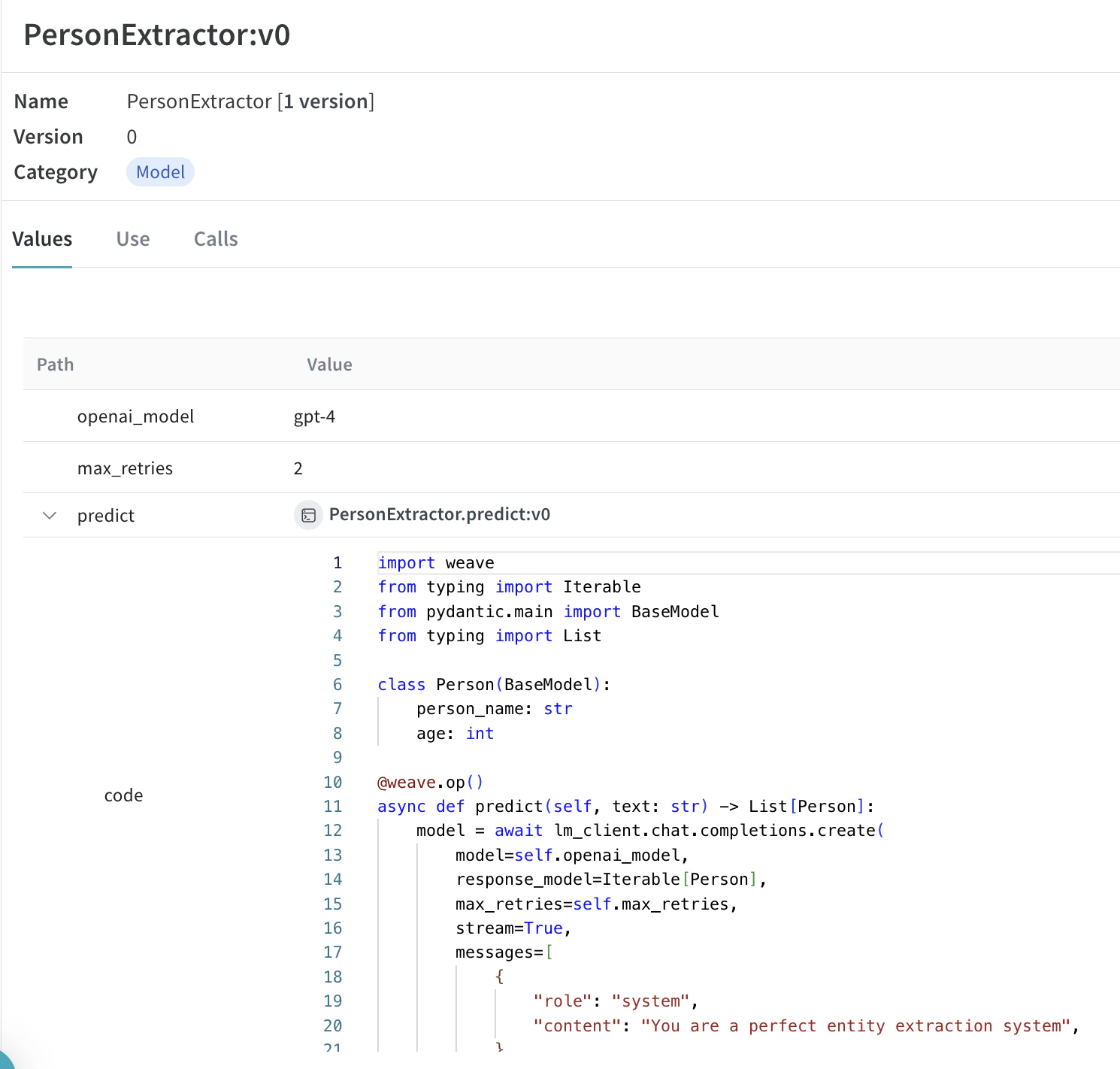 |
|---|
Model을 사용한 호출 추적 및 버전 관리 |
weave.Model 객체에 대한 weave reference가 있다면 FastAPI 서버를 띄우고 serve로 서빙할 수 있습니다.
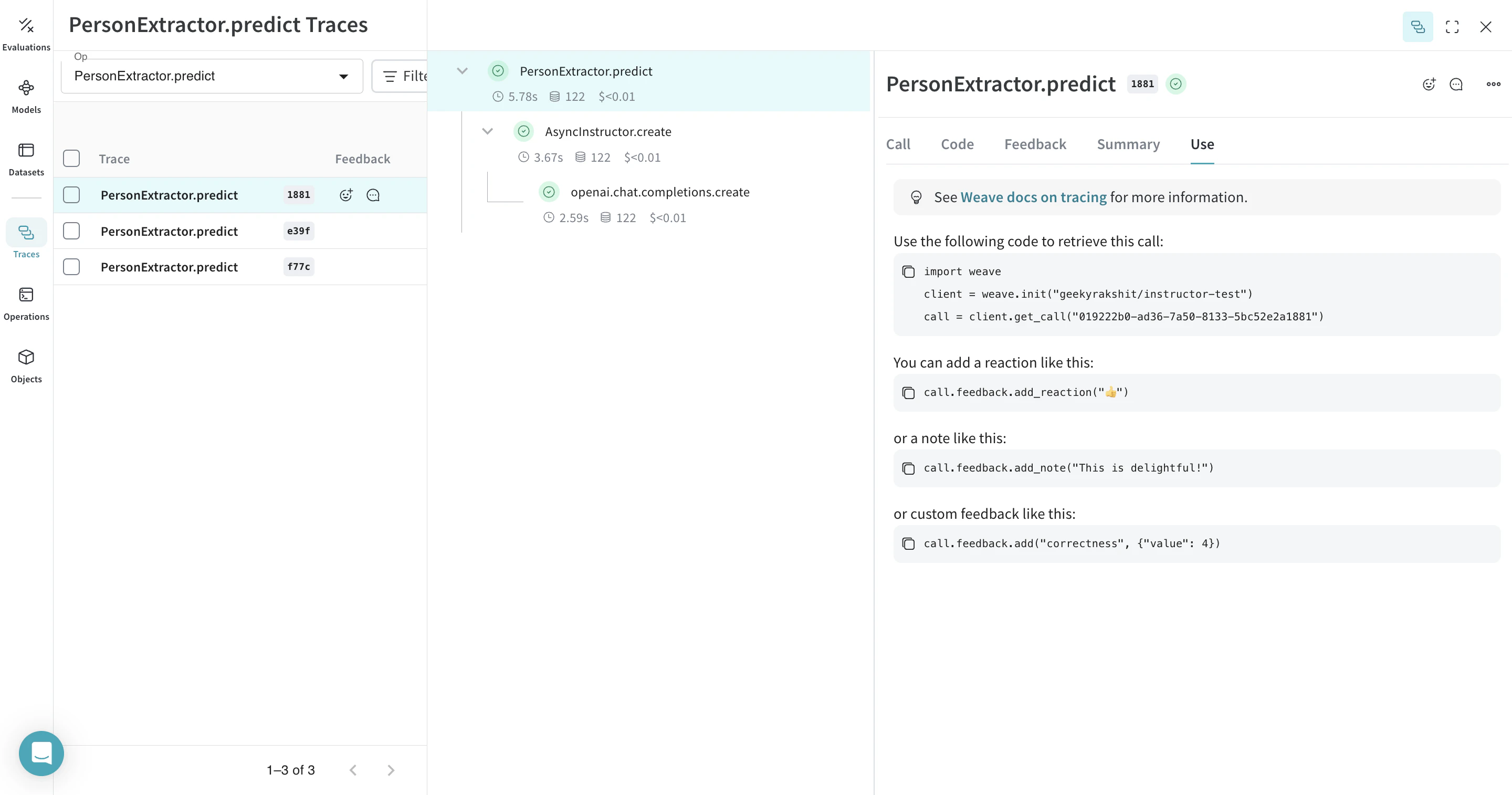 |
|---|
UI에서 해당 모델 페이지로 이동해 레퍼런스를 복사하면, 어떤 weave.Model이든 weave reference를 확인할 수 있습니다. |
weave serve weave://your_entity/project-name/YourModel:<hash>


 플랫폼
플랫폼 W&B Models
 W&B Weave
 W&B Inference
 W&B 교육
 릴리스 노트