메인 콘텐츠로 건너뛰기

Documentation Index

Fetch the complete documentation index at: https://translations.mintlify.app/llms.txt

Use this file to discover all available pages before exploring further.

Colab에서 실행해 보기 Hugging Face Diffusers는 이미지, 오디오, 심지어 분자의 3D 구조까지 생성하기 위한 최첨단 사전 학습된 확산 모델용 대표 라이브러리입니다. W&B와의 통합을 통해, 사용 편의성을 그대로 유지하면서도 대화형 중앙 대시보드에서 풍부하고 유연한 실험 추적, 미디어 시각화, 파이프라인 아키텍처, 구성 관리를 제공할 수 있습니다.

단 두 줄로 구현하는 한 단계 높은 로깅

코드 두 줄만 추가하면 실험과 관련된 모든 프롬프트, 네거티브 프롬프트, 생성된 미디어, 그리고 설정을 모두 기록할 수 있습니다. 로깅을 시작하기 위한 코드 두 줄은 다음과 같습니다:
# autolog 함수 가져오기
from wandb.integration.diffusers import autolog

# 파이프라인 호출 전에 autolog 호출
autolog(init=dict(project="diffusers_logging"))
실험 결과 기록 예시

시작하기

  1. diffusers, transformers, accelerate, 그리고 wandb를 설치합니다.
    • 명령줄:
      pip install --upgrade diffusers transformers accelerate wandb
      
    • 노트북:
      !pip install --upgrade diffusers transformers accelerate wandb
      
  2. autolog을 사용해 W&B 실행을 초기화하고, 지원되는 모든 파이프라인 호출의 입력과 출력을 자동으로 추적합니다. autolog() 함수를 호출할 때 init 파라미터를 함께 사용할 수 있으며, 이 파라미터는 wandb.init()에 필요한 파라미터들이 담긴 딕셔너리를 받습니다. autolog()을 호출하면 W&B 실행이 초기화되고, 지원되는 모든 파이프라인 호출의 입력과 출력이 자동으로 추적됩니다.
    • 각 파이프라인 호출은 워크스페이스 내의 별도 테이블에 추적되며, 해당 파이프라인 호출과 연관된 config는 해당 실행의 config에 있는 워크플로 목록에 추가됩니다.
    • 프롬프트, 네거티브 프롬프트, 생성된 미디어는 wandb.Table에 로깅됩니다.
    • seed와 파이프라인 아키텍처를 포함해 실험과 연관된 기타 모든 config는 실행의 config 섹션에 저장됩니다.
    • 각 파이프라인 호출로 생성된 미디어는 실행의 미디어 패널에도 로깅됩니다.
    지원되는 파이프라인 호출 목록을 확인할 수 있습니다. 이 통합에 대해 새로운 기능을 요청하거나 관련 버그를 보고하려면 W&B GitHub issues 페이지에 이슈를 등록하세요.

예제

자동 로깅(Autologging)

다음은 자동 로깅이 어떻게 동작하는지 보여주는 간단한 end-to-end 예시입니다:
import torch
from diffusers import DiffusionPipeline

# autolog 함수를 import합니다.
from wandb.integration.diffusers import autolog

# pipeline을 호출하기 전에 autolog를 호출합니다.
autolog(init=dict(project="diffusers_logging"))

# diffusion 파이프라인을 초기화합니다.
pipeline = DiffusionPipeline.from_pretrained(
    "stabilityai/stable-diffusion-2-1", torch_dtype=torch.float16
).to("cuda")

# prompt, negative prompt, seed를 정의합니다.
prompt = ["a photograph of an astronaut riding a horse", "a photograph of a dragon"]
negative_prompt = ["ugly, deformed", "ugly, deformed"]
generator = torch.Generator(device="cpu").manual_seed(10)

# 이미지를 생성하기 위해 pipeline을 호출합니다.
images = pipeline(
    prompt,
    negative_prompt=negative_prompt,
    num_images_per_prompt=2,
    generator=generator,
)
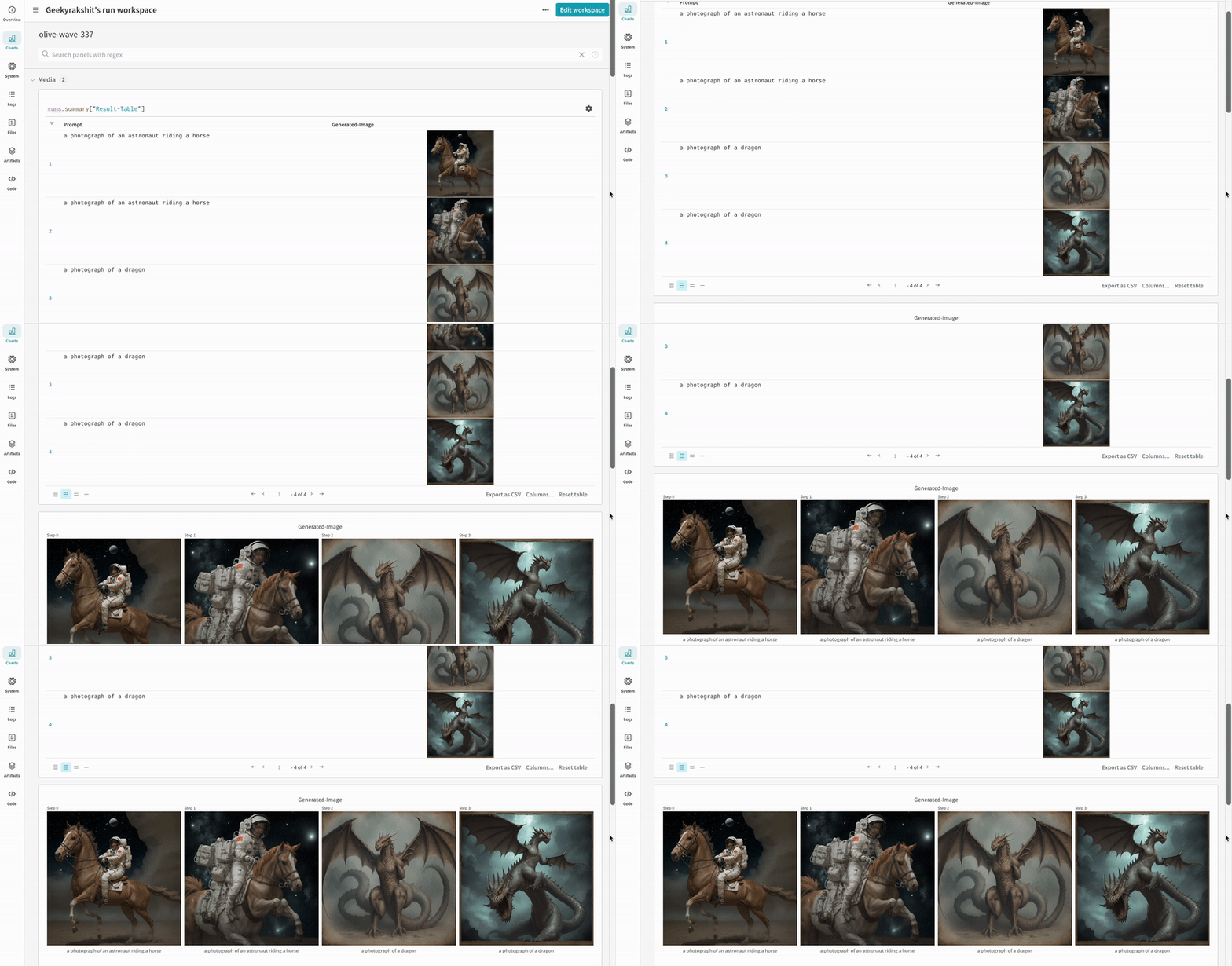
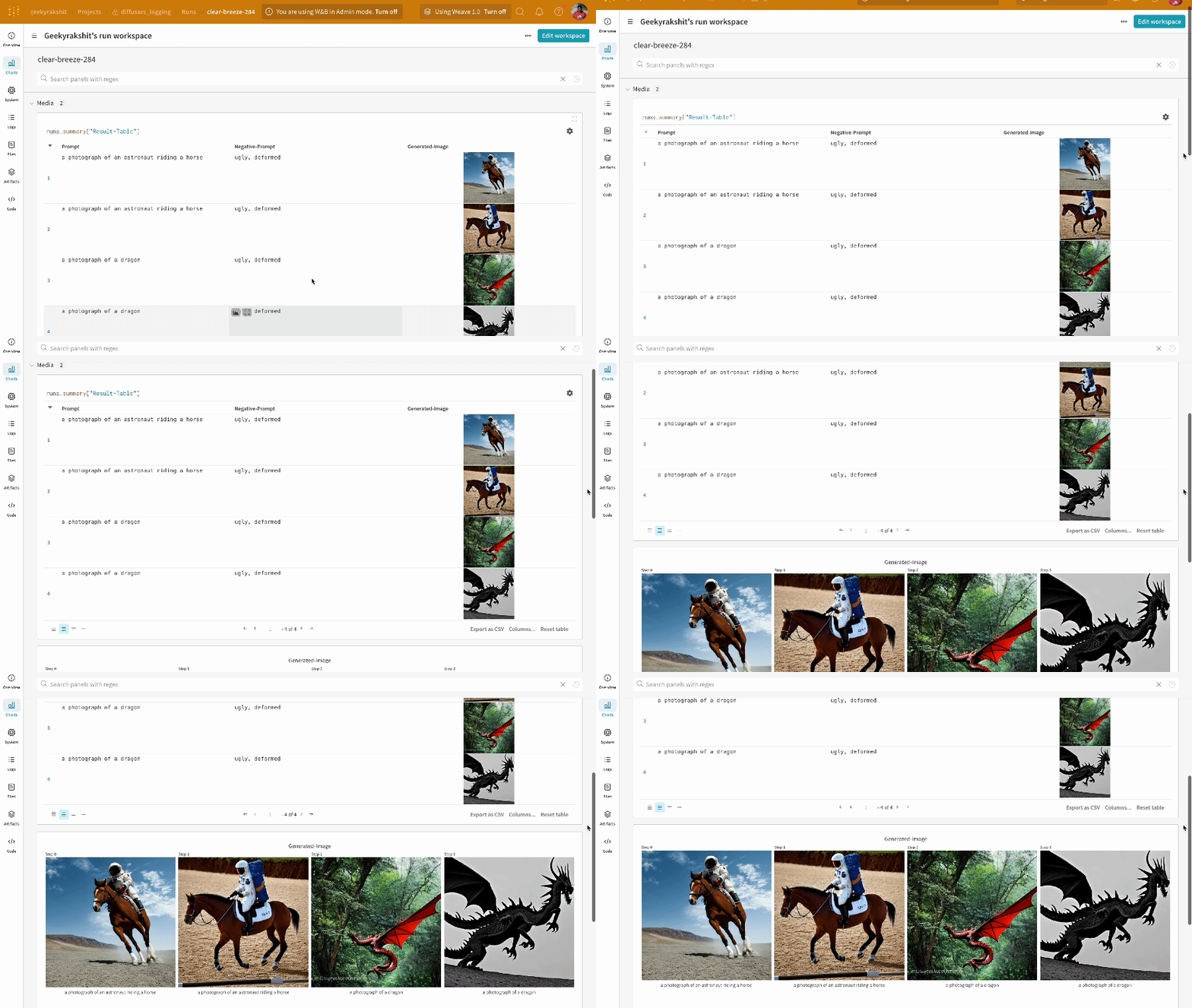
  • 단일 실험의 결과:
    실험 결과 로깅
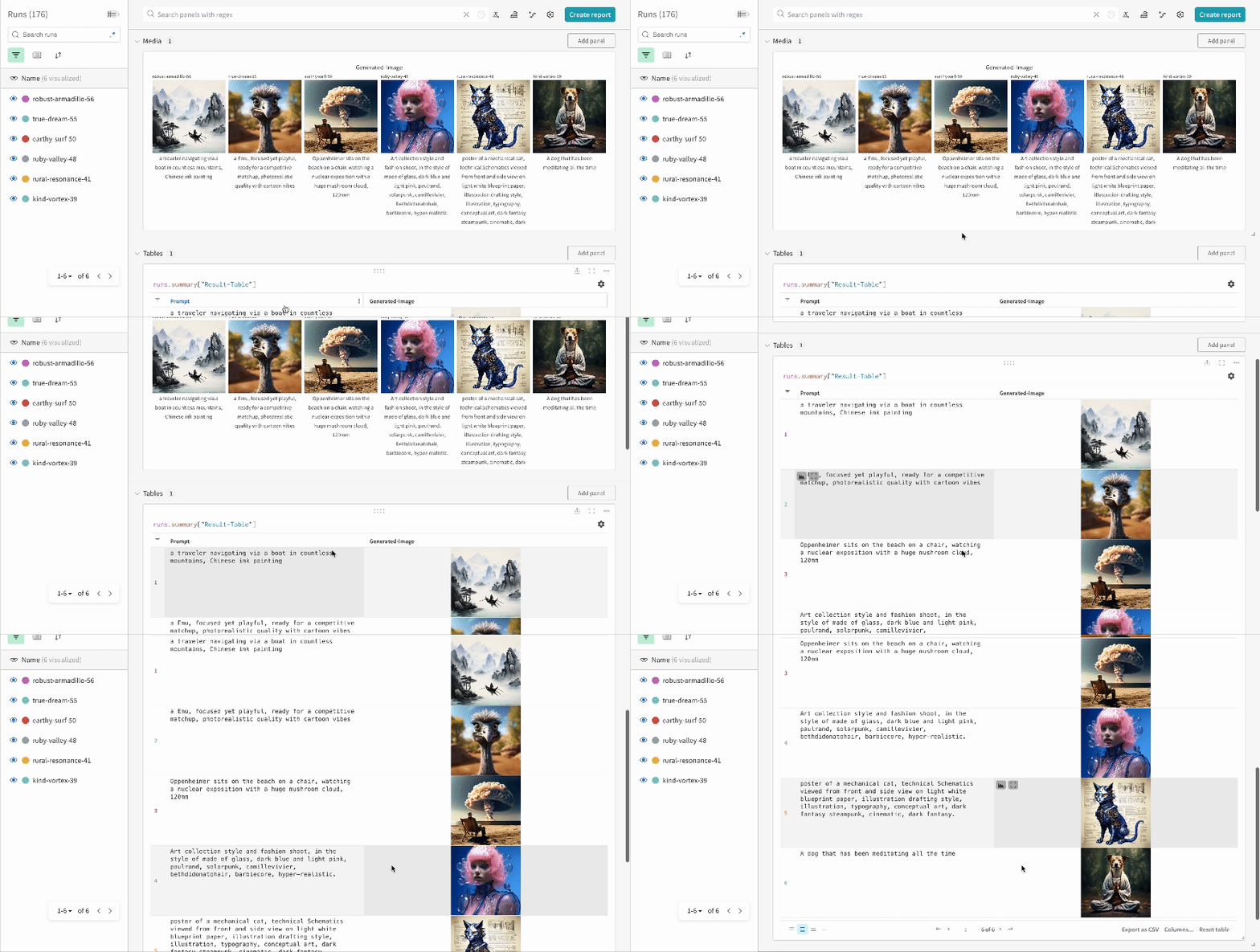
  • 여러 실험의 결과:
    여러 실험 결과 로깅
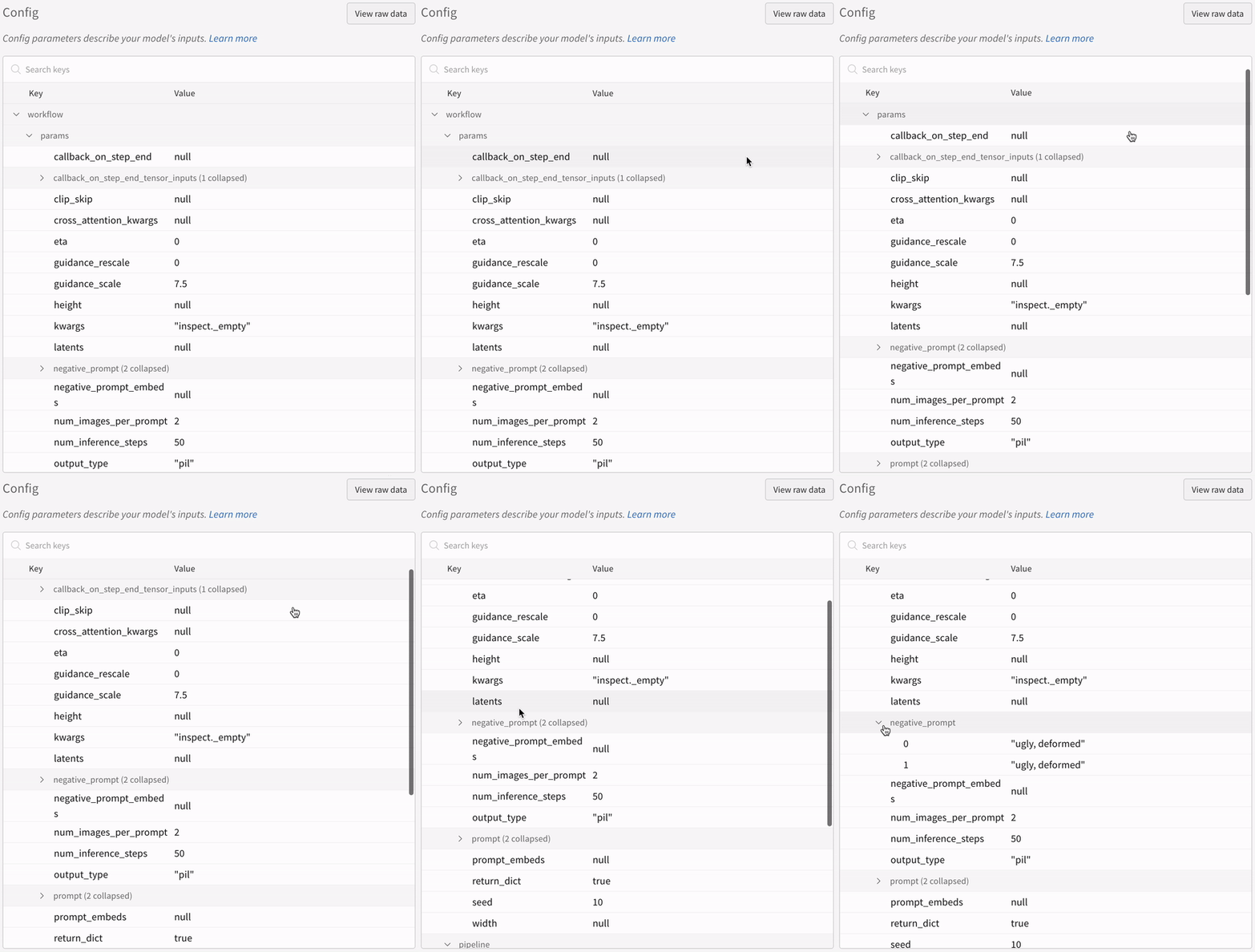
  • 실험 설정(config):
    실험 설정 로깅
IPython 노트북 환경에서 pipeline을 호출한 뒤 위 코드를 실행할 때는 wandb.Run.finish()를 명시적으로 호출해야 합니다. Python 스크립트를 실행할 때는 필요하지 않습니다.

다중 파이프라인 워크플로 추적

이 섹션에서는 일반적인 Stable Diffusion XL + Refiner 워크플로에서 autolog 사용 예시를 보여 줍니다. 이 워크플로에서는 StableDiffusionXLPipeline이 생성한 잠재 표현(latents)이 해당 refiner에 의해 정제됩니다.
import torch
from diffusers import StableDiffusionXLImg2ImgPipeline, StableDiffusionXLPipeline
from wandb.integration.diffusers import autolog

# SDXL 기본 파이프라인 초기화
base_pipeline = StableDiffusionXLPipeline.from_pretrained(
    "stabilityai/stable-diffusion-xl-base-1.0",
    torch_dtype=torch.float16,
    variant="fp16",
    use_safetensors=True,
)
base_pipeline.enable_model_cpu_offload()

# SDXL 리파이너 파이프라인 초기화
refiner_pipeline = StableDiffusionXLImg2ImgPipeline.from_pretrained(
    "stabilityai/stable-diffusion-xl-refiner-1.0",
    text_encoder_2=base_pipeline.text_encoder_2,
    vae=base_pipeline.vae,
    torch_dtype=torch.float16,
    use_safetensors=True,
    variant="fp16",
)
refiner_pipeline.enable_model_cpu_offload()

prompt = "a photo of an astronaut riding a horse on mars"
negative_prompt = "static, frame, painting, illustration, sd character, low quality, low resolution, greyscale, monochrome, nose, cropped, lowres, jpeg artifacts, deformed iris, deformed pupils, bad eyes, semi-realistic worst quality, bad lips, deformed mouth, deformed face, deformed fingers, deformed toes standing still, posing"

# 무작위성을 제어하여 실험을 재현 가능하게 만듭니다.
# 시드는 WandB에 자동으로 기록됩니다.
seed = 42
generator_base = torch.Generator(device="cuda").manual_seed(seed)
generator_refiner = torch.Generator(device="cuda").manual_seed(seed)

# Diffusers용 WandB Autolog를 호출합니다. 프롬프트, 생성된 이미지,
# 파이프라인 아키텍처 및 관련 실험 설정이 W&B에 자동으로 기록되어
# 이미지 생성 실험을 쉽게 재현, 공유, 분석할 수 있습니다.
autolog(init=dict(project="sdxl"))

# 기본 파이프라인을 호출하여 잠재 벡터 생성
image = base_pipeline(
    prompt=prompt,
    negative_prompt=negative_prompt,
    output_type="latent",
    generator=generator_base,
).images[0]

# 리파이너 파이프라인을 호출하여 정제된 이미지 생성
image = refiner_pipeline(
    prompt=prompt,
    negative_prompt=negative_prompt,
    image=image[None, :],
    generator=generator_refiner,
).images[0]
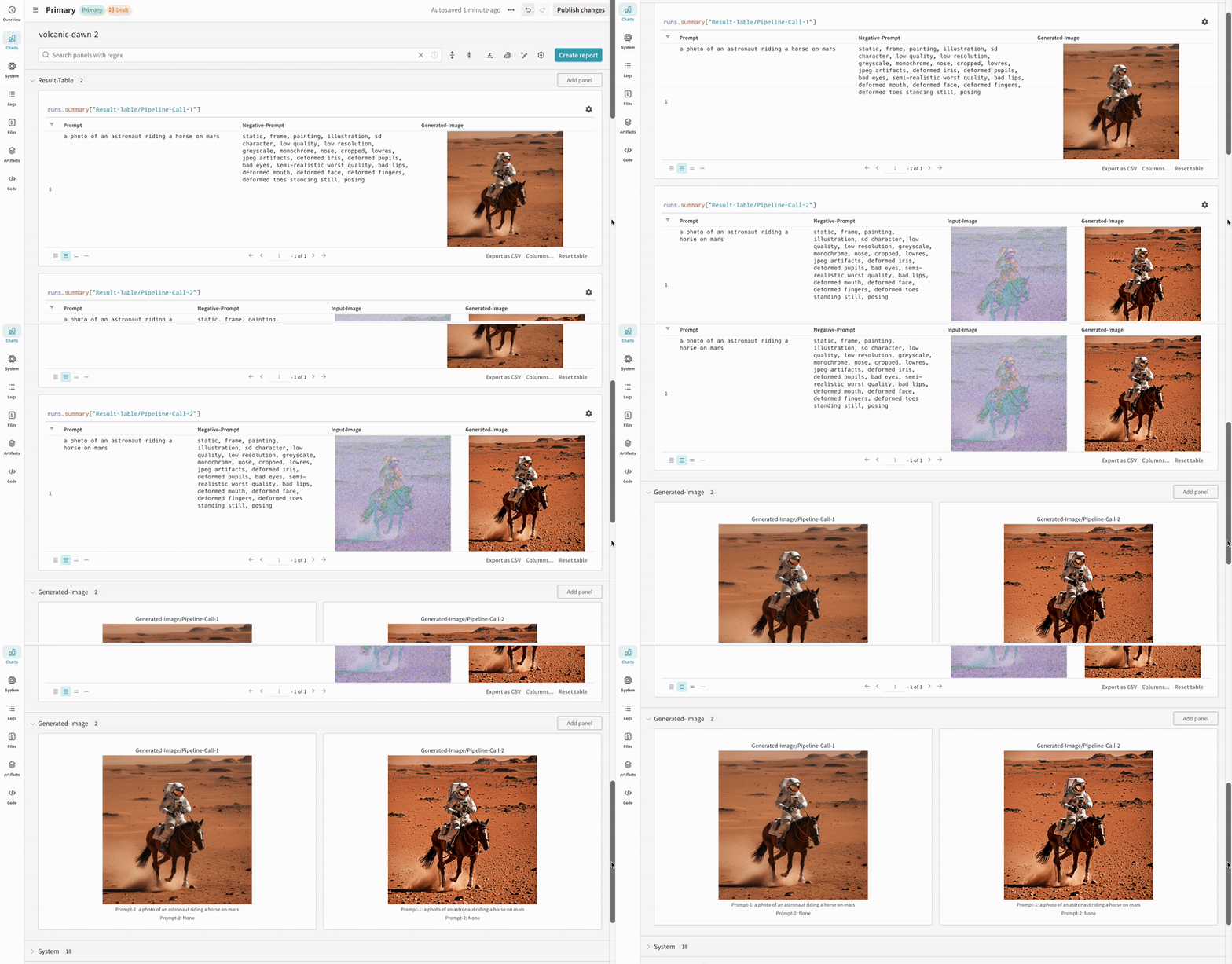
  • Stable Diffusion XL + Refiner 실험 예시:
    Stable Diffusion XL experiment tracking

추가 자료